
Table of Contents (8)
A universal launcher on Windows-finally (sort of)
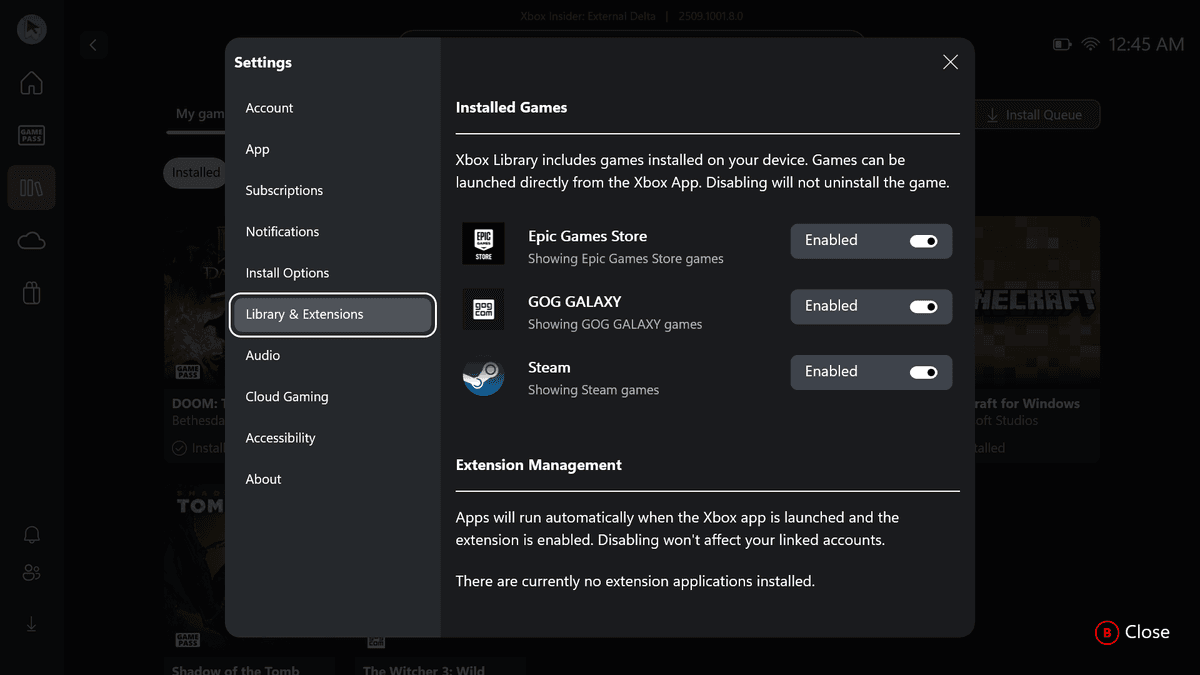
This caught my attention because I’ve lived the PC launcher chaos for years: Steam for most things, Epic for giveaways, GOG for DRM-free gems, Battle.net for Blizzard nights, and the Xbox app for Game Pass. Microsoft’s latest Xbox app update on Windows 11 pulls those fragments into one screen. It auto-detects installed games from Steam, Epic, GOG, and Battle.net, lists them next to your Xbox and Game Pass library, and lets you launch them without hunting through five different UIs. You can even toggle which storefronts show up. Cloud-playable labels and unified play history are “coming soon.” And yes, the timing lines up neatly with the impending Xbox Ally handheld.
Key takeaways
- Real aggregation: your Steam, Epic, GOG, Battle.net, Xbox, and Game Pass installs appear in one library.
- Controller-first navigation makes sense for couch and handheld play, especially with Xbox Ally on the horizon.
- It launches games but doesn’t replace other clients for updates, purchases, or account settings.
- Cloud-playable tags and play history view are promised but not here yet-manage your hype.
- This is Microsoft taking aim at GOG Galaxy and Playnite with deeper Windows-level integration.
Breaking down what actually changed
Open the Xbox app on Windows 11 and your “My Library” now feels like a proper hub rather than a Game Pass billboard. It scans your machine, surfaces installed games from the big third-party stores, and lets you launch them from a single list. There’s a setting to toggle visibility by storefront, so if your Epic backlog depresses you, hide it and pretend “free Thursdays” never happened.
The app also leans into controller navigation harder than before. That matters. Windows has never nailed a couch-friendly front end on its own-Steam Big Picture and now Steam’s latest UI had to pick up the slack. Microsoft stepping up with a controller-first launcher suggests they want Windows gaming to feel more console-like, especially on handhelds.
What’s next matters as much as what’s here: cloud-playable labels (so you know what runs via the cloud without a local install) and unified play history. If done right, that’s a stealth quality-of-life upgrade—think scrolling one timeline to see your last sessions across Helldivers 2 (Steam), Diablo IV (Battle.net), and Forza (Game Pass) without context-switching.
Why this matters now
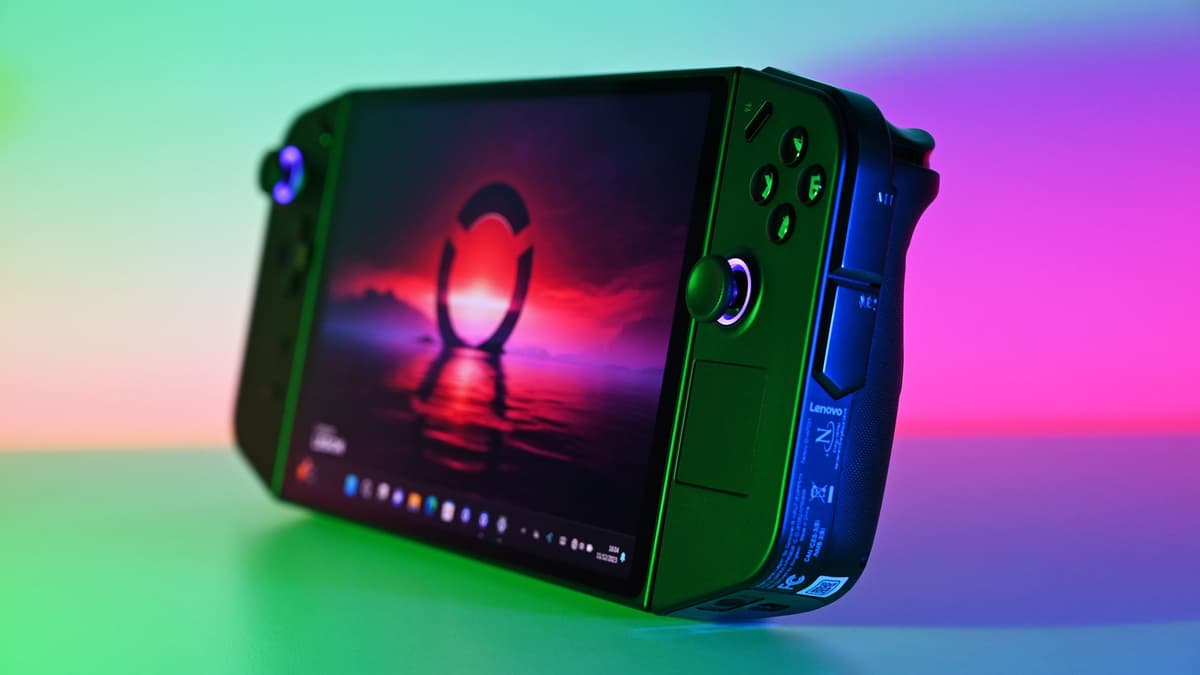
Handheld Windows PCs are having a moment. The Steam Deck proved the form factor; ROG Ally and Legion Go showed Windows can hang if you tame it. Microsoft clearly wants the Xbox app to be the front door on these devices, and the rumored Xbox Ally gives them a chance to ship that experience out of the box. If I can boot a handheld, hit one library, and launch Hades II (Steam) or Sea of Thieves (Game Pass) without desktop juggling, that’s a genuine win.
There’s also the living room angle. Hook a Windows 11 rig to a TV, pair a controller, and this update finally gives you a credible console-like launcher without relying entirely on Steam’s UI. It won’t convert entrenched Steam-only players overnight, but it lowers the friction for mixed-store libraries in a big way.
The catches and the fine print
Let’s be clear: this doesn’t kill Steam or Epic or anything else. The Xbox app launches your game, but patching, purchasing, DLC management, and account auth still happen in the original clients. Expect the usual dance where the Xbox app triggers Steam or Battle.net in the background—useful, but not magic.
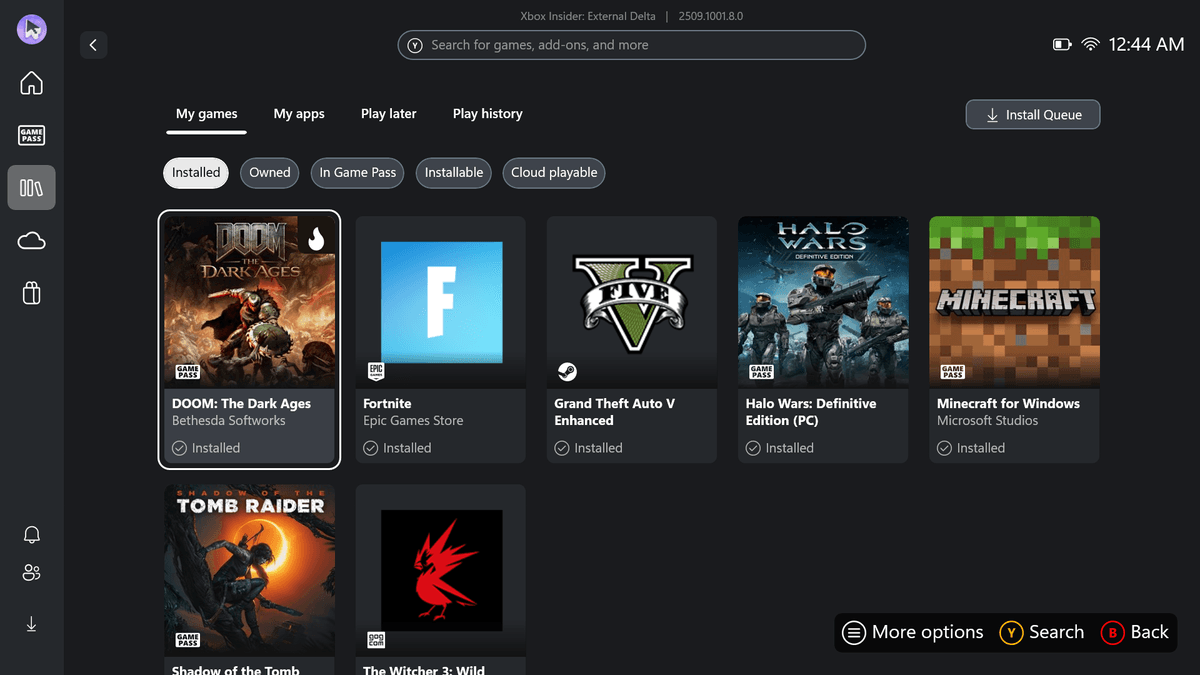
There are unanswered questions too. Will Microsoft surface achievements, friends, and rich presence from other stores in a meaningful way, or is this strictly a launcher list? How robust is the scanner with custom install directories or portable GOG builds? Can we cleanly hide tech launchers that game installers spawn (Ubisoft Connect, Riot) without clutter creeping back? And how much data is the app indexing to build this view—give us transparent privacy controls, not just convenience.
Also note the scope: this is a Windows 11 play. If you’re still on Windows 10, don’t expect parity. And “cloud-playable” and “play history” are future promises—great if they land soon, frustrating if they linger on the roadmap.
How it stacks up against GOG Galaxy and Playnite
I’ve used GOG Galaxy as a unifier for years, and Playnite is the tinkerer’s dream with wild customization. Microsoft’s pitch is different: native integration. The Xbox app can lean on Windows-level hooks, better controller UX out of the box, and deep links to cloud gaming and Game Pass perks. On a handheld, that tight coupling could beat third-party options for simplicity and battery-friendly behavior. The trade-off is flexibility—Playnite’s plugins and Galaxy’s metadata finesse may still be better if you want total control.
The gamer’s perspective
On day one, the win is simple: less time hunting for a launcher means more time playing. I can pin the Xbox app, scroll one list, fire up Baldur’s Gate 3 (Steam) or Diablo IV (Battle.net), and be in-game faster. On a couch or handheld, the controller-first layer is the difference between “Windows is annoying” and “this feels like a console.”
But I’m keeping expectations in check. Until Microsoft nails unified updates, richer cross-store presence, and that promised play history, this is more “smart launcher” than “single home.” If the Xbox Ally is real, this groundwork could be the secret sauce. If not, it’s still a solid quality-of-life upgrade for the messy reality of PC gaming in 2025.
TL;DR
The Xbox app on Windows 11 now aggregates and launches games from Steam, Epic, GOG, and Battle.net alongside Xbox libraries. It’s a big convenience win—especially for controllers and handhelds—but it doesn’t replace other clients, and some headline features are “coming soon.” Good move, cautious optimism.
FinalBoss // Gear
Level up your setup
01Best-selling Xbox Series X|S gameson Amazon→02Xbox controllerson Amazon→03Top-rated gaming headsetson Amazon→04Discounted game keyson Kinguin→Affiliate links · As an Amazon Associate, FinalBoss earns from qualifying purchases.
Want to Level Up Your Gaming?
Get access to exclusive strategies, hidden tips, and pro-level insights that we don't share publicly.
Ultimate Gaming Strategy Guide + Weekly Pro Tips