
Xbox Disc-to-Digital begins with Xbox Insiders on 31 August 2026, following Microsoft’s public announcement on 26 August. The feature is built around a simple promise: an eligible Xbox One or Xbox Series X game disc can unlock digital access for the Microsoft account using it. The important catch sits underneath that promise: the disc remains the ownership anchor, and each disc supports only one active digital entitlement at a time.
That makes Disc-to-Digital useful for moving supported physical games onto an Xbox Series S, Windows PC, Xbox Cloud Gaming, or another supported device without keeping the disc in the drive. It also changes how players should think about lending and resale. Giving the disc to somebody else can eventually move the digital entitlement with it.
Table of Contents (10)
What Xbox Disc-to-Digital actually does
Disc-to-Digital, also referred to as Disc2Digital during testing, reads a unique disc identifier embedded when a supported game disc is manufactured. Xbox checks that identifier online, verifies the game and disc are eligible, then grants a digital entitlement to the Microsoft account signed in at the time.
Once claimed, the game appears in that account’s digital library and can launch without the disc on supported Xbox hardware. Compatible games can also gain the same account-based benefits as normal digital purchases, including Xbox Play Anywhere on Windows PC and Xbox Cloud Gaming where those features are available for that title.
The physical disc continues to work after the claim. Microsoft’s design treats the disc as a transferable license token rather than a disposable redemption code. Its unique disc key remains tied to the entitlement’s ownership history.
Eligibility: which Xbox discs can be digitized
Disc-to-Digital starts with thousands of titles and is intended to cover most Xbox One and Xbox Series X disc releases. “Most” matters here. A disc’s generation alone does not guarantee support, since licensing arrangements, delisted products, publisher permissions, and other edge cases can keep individual games out of the program.
- Eligible disc formats: Xbox One game discs and Xbox Series X game discs for games supported in the current Xbox ecosystem.
- Required hardware for a claim: An Xbox One console with an optical drive or an Xbox Series X. The console must be connected to the internet.
- Required account: The Microsoft account that should receive the entitlement must be signed in before the disc is used.
- Initial access window: Xbox Insider Program members can test the feature from 31 August 2026. Microsoft has not set a final date for wider availability.
- Excluded generations: Original Xbox and Xbox 360 discs cannot use Disc-to-Digital, including backward-compatible discs from those libraries.
- All-digital consoles: Xbox Series S cannot read a disc itself, though it can use an entitlement claimed on a disc-equipped Xbox under the same account.
A game also needs to remain supported and recognized by Xbox’s current digital ecosystem. A disc that runs locally in an older console library is not automatically a Disc-to-Digital candidate. This is especially relevant for delisted games and titles with expired third-party licences.
Imported discs deserve extra caution. Xbox has not fully documented how every regional disc identifier maps to every account region, so cross-region claims should be treated as a compatibility check rather than a guaranteed conversion path.
The claim flow: what happens when the disc is used
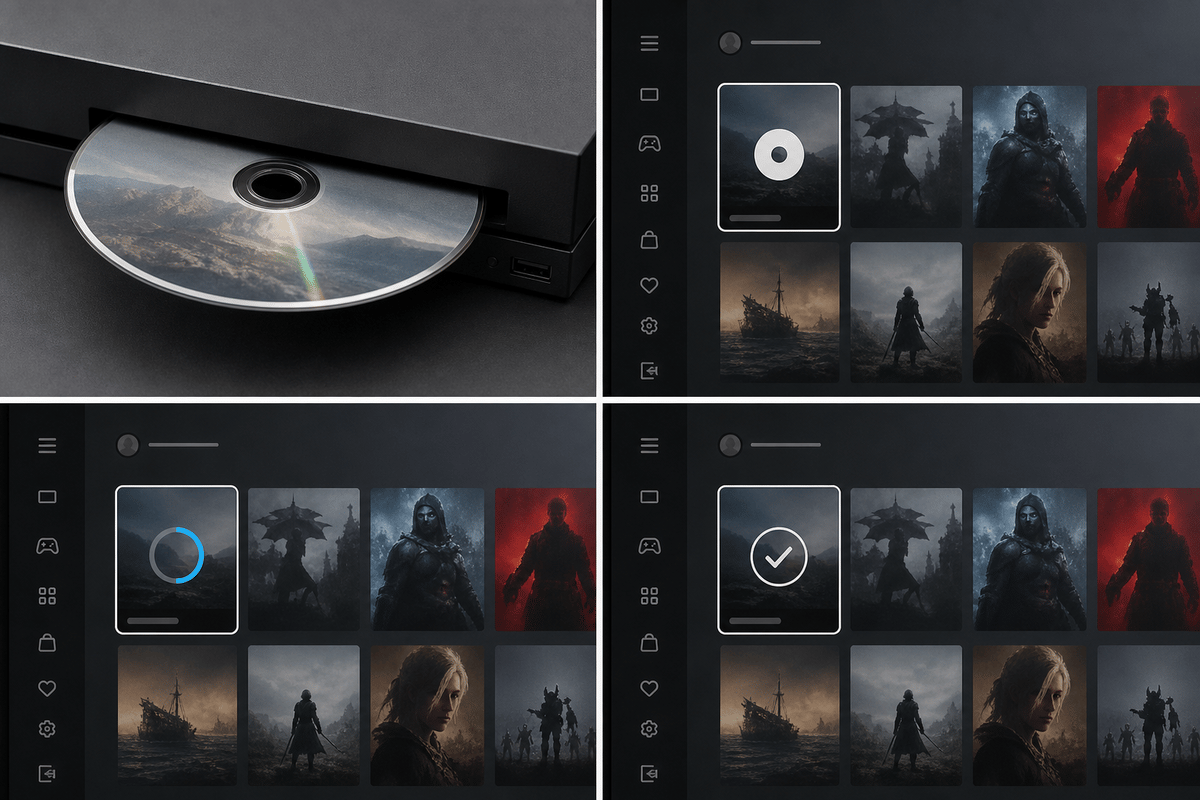
The conversion happens during normal disc use rather than through a separate code entry system. On an eligible disc-equipped Xbox, the expected flow is to sign into the intended Microsoft account, insert the supported disc, then install or launch the game when prompted. Xbox reads the embedded disc key and contacts its authentication servers.
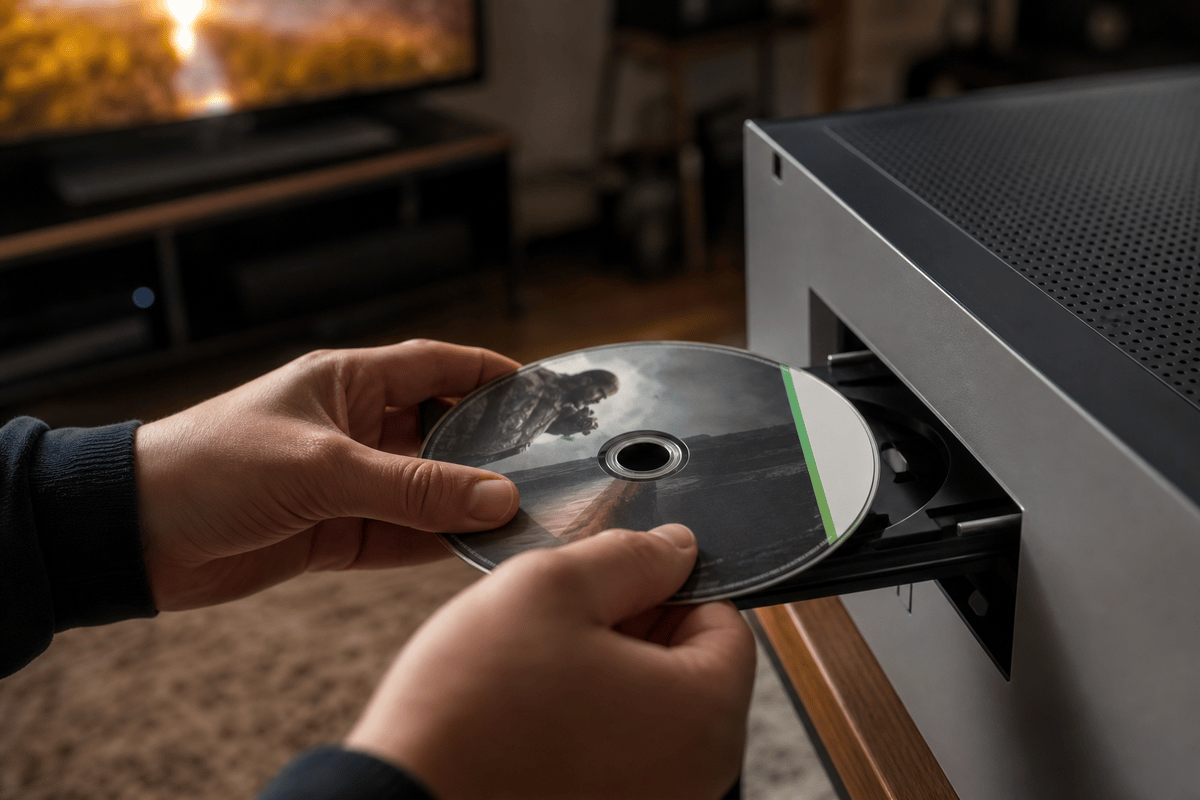
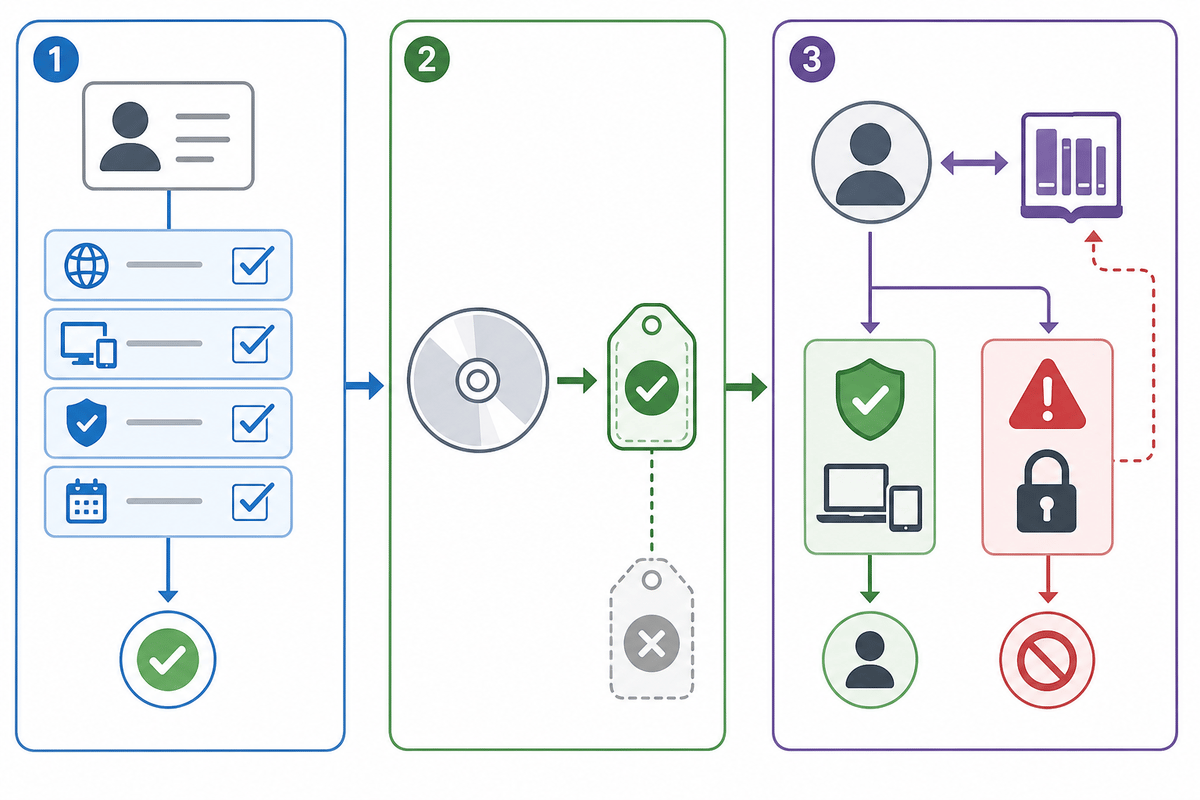
The server checks four things: that the disc is genuine, that the title participates in Disc-to-Digital, that the game can receive an entitlement in the account’s environment, and that the disc key is not already assigned to a different active owner. When that validation succeeds, Xbox surfaces a prompt to redeem the digital licence.
Accepting the prompt adds the entitlement to the signed-in account’s library. The game can then be installed and launched digitally without keeping the disc in the console, provided the entitlement remains attached to that account.
Important account check: the profile signed in during that first successful claim matters more than the console owner. A household console, a friend’s Series X, or a shared Xbox One can all be used for the disc read, but the entitlement follows the Microsoft account that claims it. Confirm the correct account before the disc is inserted and used.
One disc means one active digital entitlement
The central rule is one active digital owner per physical disc. A single disc cannot create several permanent digital copies for different accounts. The entitlement remains associated with both the Microsoft account and the disc’s unique identifier, so the system can move ownership when the disc changes hands.
This is the key distinction between Disc-to-Digital and a standard retail code. A code is generally consumed once and loses its resale role. A Disc-to-Digital entitlement stays connected to the disc key, preserving the disc’s role as the active licence carrier.
Separate copies of the same game remain separate ownership chains. Two household members with two eligible copies can each claim an entitlement. One household with one disc has one active entitlement tied to that one disc.
| What happens to the disc | What happens to the original account | What happens to the next account that uses it |
|---|---|---|
| You keep the disc and keep using it under your account | The digital entitlement remains available. | No transfer occurs while another account does not use the disc to claim or play. |
| You lend the disc to a friend | The entitlement remains until the friend uses the disc under their own account. | Using the disc to play or claim can transfer the active entitlement to the friend. |
| You sell or gift the disc | Your entitlement is revoked when the recipient activates the disc under their account. | The buyer or recipient becomes the active digital entitlement holder. |
What happens when you lend, trade, or sell a converted disc
Disc-to-Digital preserves a disc’s resale value, but the sale includes the licence relationship. When the next owner inserts the disc and uses it while signed in to their own Microsoft account, the entitlement migrates to that account. The prior owner’s access is revoked.
Lending works by the same rule. Handing a digitized disc to a friend is safe only if they never use it to play or claim the game under their own account. If they do, their account becomes the active owner. Getting the disc back and using it again under the original account can move the entitlement back, although the licence can only belong to one account at a time.
Selling the disc does not instantly tell Microsoft that a sale happened. The ownership change is triggered when the next account uses the disc. Players should still treat the transaction as giving up their digital access, because that is the expected result once the buyer activates the disc.
Practical resale rule: remove the game from your “keep forever” plans before listing a Disc-to-Digital game. Keeping it installed does not preserve access after the entitlement moves.
What remains account-bound after conversion
While the entitlement is active, it behaves much like a digital purchase within the holder’s Microsoft account. The game appears in the account library, receives normal digital updates and patches, and can be installed on supported devices tied to that account.
- Disc-free Xbox launching: Supported games can launch on Xbox One, Xbox Series X, and Xbox Series S without inserting the disc after the entitlement has been claimed.
- Xbox Series S access: Series S owners can play the game digitally after claiming it through a disc-equipped Xbox One or Xbox Series X.
- Home Xbox sharing: Standard Home Xbox rules apply. Other profiles on the account holder’s designated home console can access the game while the entitlement remains active.
- Xbox Play Anywhere: Games carrying the Xbox Play Anywhere designation can be played through the linked Windows PC entitlement, including on supported Windows handhelds such as Xbox Ally.
- Xbox Cloud Gaming: Cloud access is available only where the specific title supports Xbox Cloud Gaming and the account remains the active entitlement holder.
These benefits are account-based, but they depend on the disc-linked entitlement still being valid. A transfer to another account removes the library right behind them. That means cloud access, PC access, and Home Xbox sharing disappear alongside the Xbox console licence when ownership changes.
What a revocation looks like on your Xbox, PC, and cloud library
After another account activates the disc and receives the entitlement, the former owner loses the digital licence. The game may remain installed on that player’s Xbox, but the next licence validation prevents it from launching. The usual fixes are reacquiring and using the same disc under the original account, receiving a transfer back from the current disc holder, or buying a separate digital copy.
Xbox Cloud Gaming and Xbox Play Anywhere follow the same licence state. Once the entitlement is revoked, cloud launches and PC installs tied to that entitlement stop working because the account no longer owns the active right.
Offline behaviour needs careful expectations. The initial conversion requires internet access because Xbox must authenticate the disc key against its servers. Xbox has not documented a precise grace period for a console that remains offline after an entitlement changes hands. An offline system may continue to work until it completes its next licence check, but that is temporary behaviour rather than a dependable long-term workaround.
Disc loss and damage: the part still worth protecting
Disc-to-Digital reduces the need to insert a claimed game disc every time you play, yet the disc remains important. If it is lost or damaged after conversion, the entitlement stays on the account as long as nobody else uses that disc key. Microsoft has not detailed a replacement or support policy for damaged discs, however, so the original disc should still be stored like an ownership document rather than discarded as redundant plastic.
This also limits the preservation benefit. The program can make much of an Xbox One and Xbox Series X physical library easier to carry across Xbox consoles, PC, and cloud-supported devices, but it does not remove publisher rights restrictions, title eligibility limits, account requirements, or online licence checks.
Use this checklist before claiming a game
- Confirm that the disc is an Xbox One or Xbox Series X release. Original Xbox and Xbox 360 discs are outside the program.
- Use an Xbox One with a disc drive or an Xbox Series X for the claim. Xbox Series S can use the entitlement later but cannot read the disc.
- Connect the console to the internet before inserting the disc for conversion.
- Sign in to the exact Microsoft account that should own the entitlement.
- Expect some game-specific exclusions even within the supported Xbox One and Series X generations.
- Check that the title appears in the account’s digital library after the redemption prompt is accepted.
- Test a disc-free launch on the account’s Xbox console before putting the disc away.
- Keep the disc if you want to retain control of the entitlement. Lending, gifting, and resale can transfer it.
The practical takeaway
Xbox Disc-to-Digital is most valuable for players keeping a physical library but playing across an Xbox Series S, Xbox Series X, Windows PC, and cloud-supported devices. Claim supported discs only under the intended Microsoft account, keep the original disc stored safely, and treat every loan or sale as a potential licence transfer. The feature provides disc-free convenience while the disc remains the single active proof of ownership.
FinalBoss // Gear
Level up your setup
01Best-selling Xbox Series X|S gameson Amazon→02Xbox controllerson Amazon→03Top-rated gaming headsetson Amazon→04Discounted game keyson Kinguin→Affiliate links · As an Amazon Associate, FinalBoss earns from qualifying purchases.
Want to Level Up Your Gaming?
Get access to exclusive strategies, hidden tips, and pro-level insights that we don't share publicly.
Ultimate Guide Strategy Guide + Weekly Pro Tips