
Table of Contents (20)
How the ARC Raiders Interactive Map Turned My Runs Around
After spending dozens of hours stumbling around ARC Raiders’ battlegrounds, I finally gave in and started treating the interactive map like a second monitor HUD. That’s when my runs completely changed. Instead of wandering into random ARC patrols and dying with half-full backpacks, I was pulling off 5-8 minute routes with consistent extractions and way better loot.
The community-made ARC Raiders interactive map – all locations, loot, and points of interest rolled into one – is basically a tactical command screen for the whole game. Across the five battlegrounds (Dam Battlegrounds, Spaceport, Buried City, Blue Gate, Stella Montis) there are over a thousand markers: weapon cases, raider caches, security lockers, keys, events, extractions, quests, and more. Once I actually learned how to filter and plan around those markers, my solo extract rate climbed to around 70%, and squad runs felt almost unfair.
This guide is exactly how I use those interactive maps now: which features matter, how I plan routes, what I prioritize on each battleground, and the mistakes that wasted the most of my time early on.
Quick Setup: Get Your Map and Loadout Ready
Before I started treating ARC Raiders like a proper extraction shooter, I’d just queue up, drop in, and “see what happens.” That’s fun for a few games, but it’s awful for progress. Now I treat prep like part of the run, and it starts with the map and a few key items.
- Use a stable desktop browser. The better interactive maps use WebGL and 3D/indoor views. Chrome, Edge or Firefox handle them best. Keep only 1–2 map tabs open or you’ll feel it in-game.
- Play on a current patch. Blue Gate and Stella Montis were heavily updated in the 2025–2026 seasons. Make sure your map lets you switch to the latest version so new POIs and keys are in the right place.
- Have the right tools in your kit: breach charges for security lockers, generic raider keys or map-specific keys, and enough meds to actually use the loot you find.
- Set up your workflow: I keep the map on a second monitor. If you’re single-monitor, practice quick
Alt+Tabswaps in the menus so you’re not fumbling mid-fight. - Pick a map style that matches your PC: full-fat interactive maps with 3D indoor/X-ray layers for strong PCs, and lighter 2D-only versions if your framerate tanks when the browser is open.
Give yourself 20–30 minutes outside of matches just to click around the site, toggle filters, and zoom in and out. That investment pays off hugely once you’re under fire.
Step-by-Step: How I Use the Interactive Map Every Run
Step 1 – Choose Your Battleground and Layer
First, I decide what kind of run I want:
- Chill money/loot farm: Buried City or Dam Battlegrounds.
- High-risk, high-reward: Blue Gate or Stella Montis.
- Vertical, building-heavy fights: Spaceport.
On the interactive map, I select the matching battleground from the dropdown. If the site supports it, I also switch to the latest season layer so all the new POIs, especially in Blue Gate and Stella Montis, are accurate.
For maps with big indoor spaces (Spaceport control tower, Stella Montis labs), I always enable the “indoors” or “X-ray” view. Being able to see loot markers on different floors is the difference between “lost in a maze” and “in and out in 30 seconds.”
Step 2 – Filter Down to Only What Matters
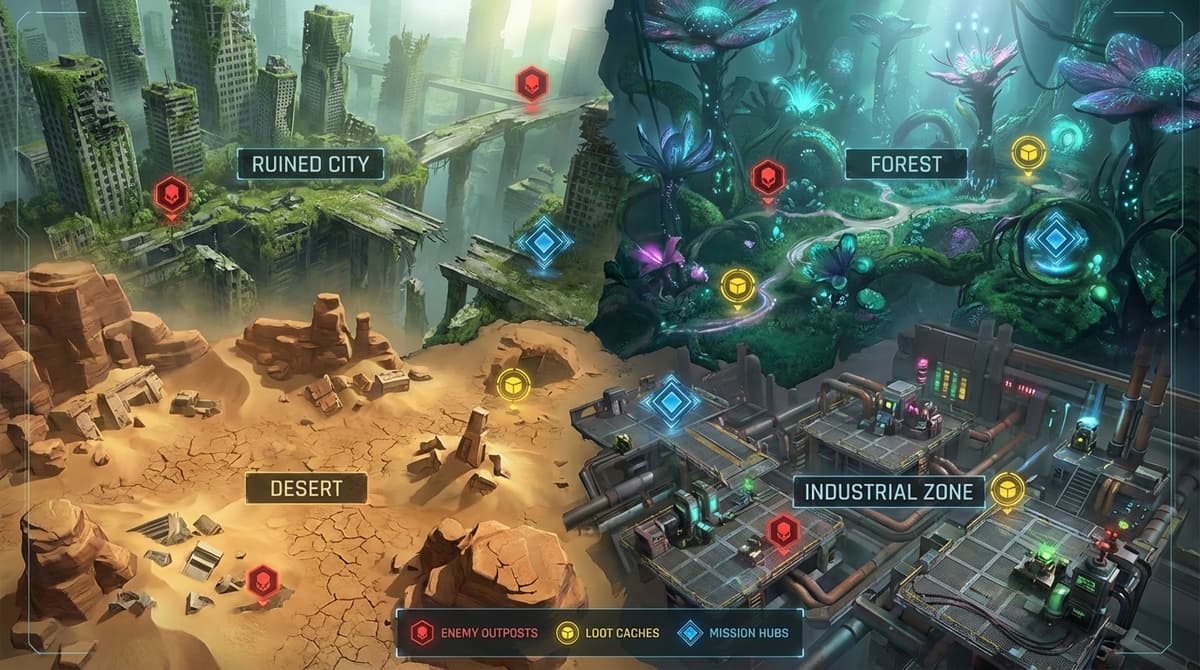
My biggest early mistake was enabling every single marker type. On a weaker PC, that can stutter your browser, and visually it’s just chaos. Now I start each run with a tight filter set:
- Always on: extraction points, weapon cases, raider caches, security lockers.
- Situational: quest crates/field crates (if I’m pushing a specific quest), resources like mushrooms/husks (if I’m low on meds or crafting mats).
- Optional: events and bosses (Harvesters, Night Raids, Matriarchs) – only if I deliberately want to chase them.
This leaves the map readable and keeps performance solid. If your PC starts to choke, drop resource markers first, then events. You can always toggle them back on later when you’re planning a different kind of run.
Step 3 – Draw a 6–10 Minute Route
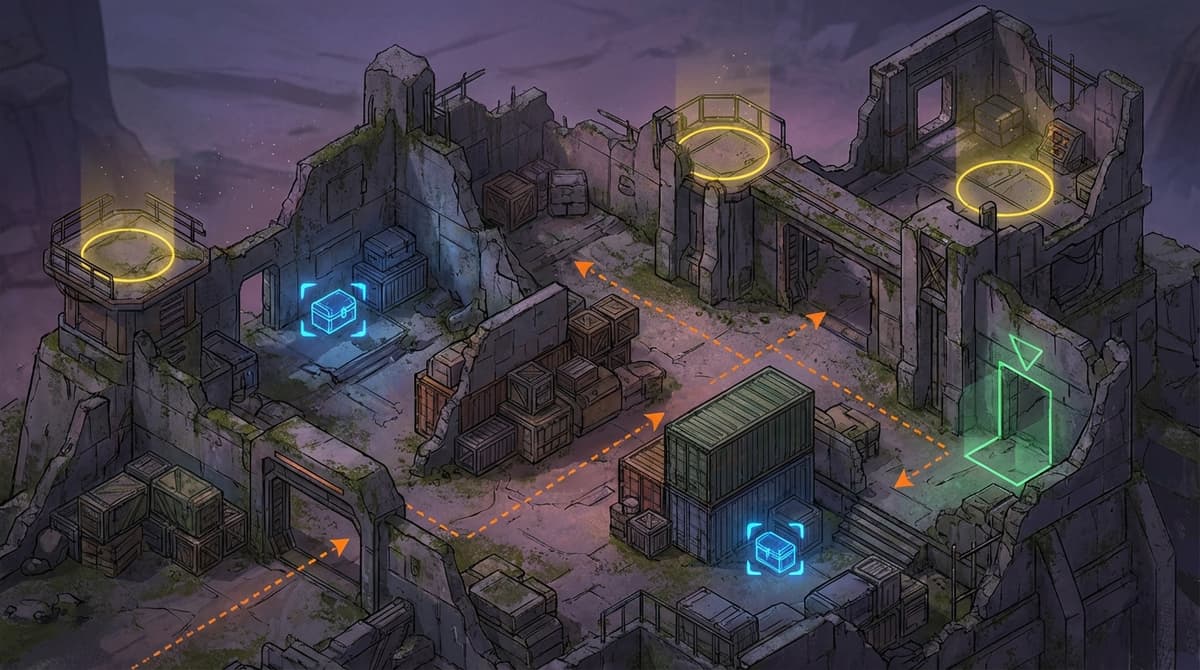
Interactive maps usually let you either draw lines or drop custom markers. Even when they don’t, I still mentally trace a route. My rule: a good route hits 6–12 high-value loot markers and has two extraction options.
Example for Dam Battlegrounds that’s worked really well for me:
- Start at the southern wicker basket/resource cluster to warm up and grab easy mats.
- Push into the main plant complex where multiple weapon cases and raider caches cluster around the turbines and central halls.
- Angle north toward the elevator or metro extractions, hitting 1–2 security lockers on the way if you have breach charges.
That loop takes me about 7 minutes solo if I don’t get bogged down in PvP. On the map, I draw it once, save it if the site supports saved routes, and reuse or tweak it between runs.
Step 4 – Run the Route and Mark Things as Looted
Before dropping, I take 20 seconds to stare at the map and memorize my first three stops. Once I’m on the ground, I try not to alt-tab until I’ve hit those. After that, I’ll quickly tab out between fights to reorient and, if the site allows it, click markers to flag them as “looted.”
This sounds small, but it prevents the classic “I’ve already been to this building, why am I here again?” problem, especially in dense areas like Spaceport’s shuttle bays or Stella Montis corridors.
Step 5 – Review After Extraction (or Death)
When I extract or wipe, I don’t immediately queue again. I alt-tab to the map and look at what I didn’t touch. Did I leave three weapon cases untouched right beside my route? Did I pick a risky event that got me killed before I reached my main loot cluster?
Adjust your path a little every run. After 5–10 games on the same battleground, you’ll have a personal “main” route that feels natural and efficient.
Battleground Highlights: What to Prioritize on Each Map
I’m not going to spam every single coordinate here – that’s what the interactive map is for – but here’s how I use all those locations, loot spots, and points of interest differently on each battleground.
Dam Battlegrounds (Alcantara Power Plant)
Dam is my go-to learning map. The interactive map shows a dense cluster of weapon cases and raider caches in and around the main plant. I route south → plant interior → north extraction, grabbing a couple of security lockers in the side wings if I have breach charges. Watch the map for husk or graveyard-style events if you need resources.
Spaceport (Acerra)
Spaceport punishes anyone not using the indoor/X-ray layers. Lots of loot sits in shuttle bays and multi-floor control towers. On the interactive map, I always flip to the proper floor before committing to a push; otherwise I waste time searching rooms on the wrong level. Central elevators are your safest extractions – I plan my loop to spiral back to them.
Buried City
Buried City is great for chill farming. Fewer global events mean you’re mostly dealing with other players and static ARC patrols. I use the map to locate buried or half-collapsed buildings marked with raider caches, then snake through plazas toward metro extractions. It’s very straightforward once you’ve memorized a couple of main streets from the map.
Blue Gate
Blue Gate exploded in complexity with its big update: valley caves, scarred ridges, new towers, plus a ton of new POIs and keys. The interactive map is mandatory here. I toggle on caves, weapon cases, and extraction hatches only, then draw a valley loop that gives me at least one cliffside fallback extraction if a Matriarch or squad rolls over my primary exit.
Stella Montis
Stella Montis is almost entirely indoors and key-gated. Here, I rely on three things from the map: lab-level X-ray views, security locker locations, and key spawn points. My typical run hits 2–3 lab weapon cases, 1–2 lockers, and then gets out before a Night Raid event stacks too many enemies. Without the interactive map showing where the stairwells, connections, and hatches are, it’s incredibly easy to get trapped.
Loot, Events, and POIs: Using Filters Intelligently
The power of the ARC Raiders interactive map – all locations, loot, and points of interest in one view – only really clicks when you understand how the categories work together. Here’s how I think about them:
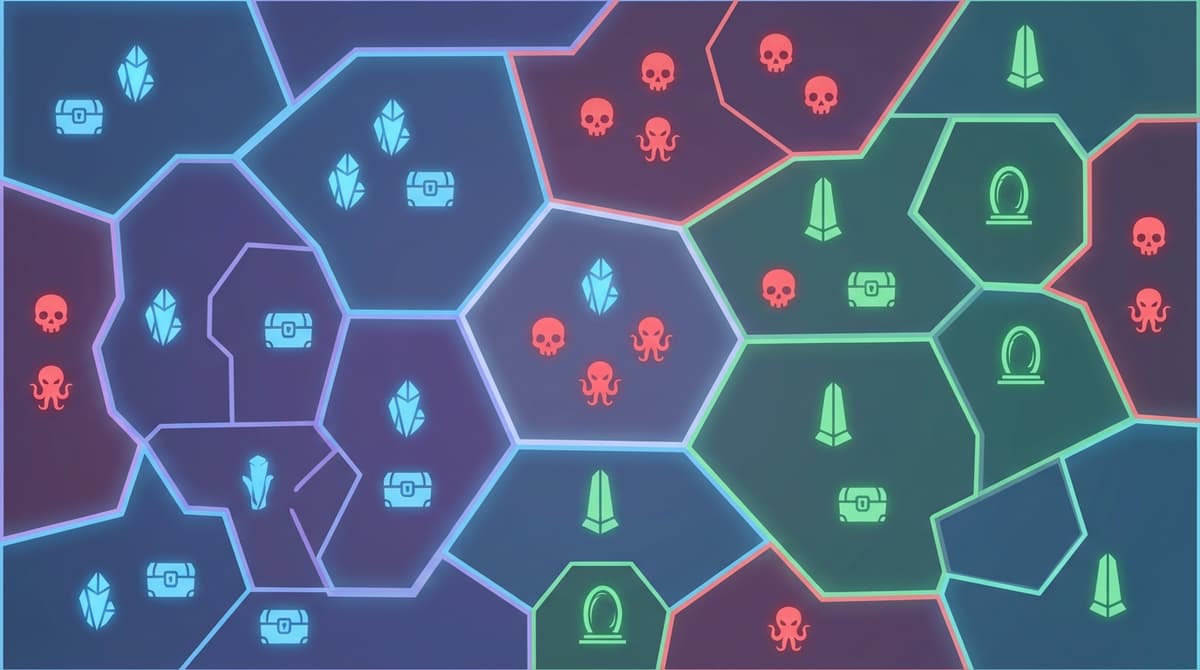
- High-value loot: Weapon cases, raider caches, and security lockers are my core markers. These are the backbone of nearly every route I plan.
- Progression & resources: Quest/field crates, mushrooms, husks, and special plants. I toggle these on when I’m specifically chasing blueprints, meds, or crafting mats.
- Events & bosses: Harvester sites, Matriarch spawns, Night Raids, prospecting probes, uncovered caches. Huge payoff but high risk; I usually dedicate separate “event runs” instead of mixing them into my main money loops.
- Keys & extractions: Key spawn POIs and extraction points (elevators, metro, hatches). I always keep these visible; knowing where you can leave before you fight is vital.
Most interactive maps also show rough event timers or at least current active events. I’ll glance at those before dropping: if a Harvester or Uncovered Caches event is already live right along my planned path, I’ll either adjust my route to take advantage or deliberately swing wide to avoid the chaos.
Mistakes I Kept Making (So You Don’t Have To)
- Turning on every marker at once. It’s tempting to see “everything,” but it just creates clutter and kills performance. Stick to 2–4 key categories per run and you’ll make faster decisions.
- Not learning extraction spots first. Early on I would loot first and think about extracting later, which is backwards. Now, the very first thing I look at on any map is: “Where are my two safest exits?” Then I build my route around those.
- Forgetting keys. Nothing feels worse than reaching a hatch or high-tier locker you routed around, only to realize you don’t have the key or a breach charge. I keep a small stash specifically for the battleground I’m farming and check my inventory in the menu before queuing.
- Getting lost indoors. Spaceport towers and Stella Montis labs ate so many of my early runs. The fix was simple: always switch to indoor/X-ray mode on the interactive map and trace a clear path out before I even walk in.
- Chasing every shiny event. The map makes events look irresistible. When I tried to hit all of them, I either ran out of time or died overextended. Now I decide: is this an “event run” or a “safe loot run”? I don’t mix the two unless I’m heavily geared and with a squad.
- Trusting outdated markers blindly. Big patches (like the Blue Gate and Stella Montis updates) can move or add POIs. If I notice a marker is clearly wrong in-game, I treat it as “suspect” until I see it fixed on the map’s next update, instead of wasting more time there.
Solo vs Squad: Route Templates That Actually Work
Solo Runs
When I’m solo, my best results come from short, tight loops:
- Keep routes to about 5–8 minutes.
- Focus on 6–10 high-value loot markers, plus 1–2 safe resource clusters.
- Never commit to a deep event unless it’s directly on my path and I’m full on meds.
- Always have an early “bail point” marked on the map in case things go sideways.
Using the interactive map this way took me from “maybe I extract 4 out of 10 times” to “around 7 out of 10 runs make it out,” just by being disciplined about route length and knowing my exits.
Squad Runs
With a trio, the interactive map becomes even more powerful. Before we drop, I ping or describe a shared route based on the map. Then we divide responsibilities along that path:
- Player 1: pushes ahead to the next weapon case/raider cache.
- Player 2: clears side rooms, security lockers, and checks for keys.
- Player 3: watches flanks and keeps an eye on nearby events or enemy movement.
We also pick a primary and a backup extraction on the map and commit to them. That simple discipline bumped our squad extract rate noticeably; we stopped dying in random corners of the map and started dying (or extracting) near planned exits with plenty of cover.
Turning the Map into Free Gear
If you treat the ARC Raiders interactive map – all locations, loot, and points of interest together – as your mission planner instead of a pretty picture, it becomes one of the biggest power boosts in the game. Master the filters, plan 6–10 minute routes with two extractions, and use indoor views to stop getting lost, and you’ll feel your runs tighten up fast.
Give yourself a few sessions to really learn one battleground at a time. Once you have a “main” route for each of the five maps, you’ll find that upgrades, keys, and rare loot start piling up without nearly as much stress – and if I can drag my extract rate up using this approach, you absolutely can too.
FinalBoss // Gear
Level up your setup
01Top-rated gaming headsetson Amazon→02High-refresh gaming monitorson Amazon→03Gaming chairson Amazon→04Discounted game keyson Kinguin→Affiliate links · As an Amazon Associate, FinalBoss earns from qualifying purchases.
Want to Level Up Your Gaming?
Get access to exclusive strategies, hidden tips, and pro-level insights that we don't share publicly.
Ultimate Guide Strategy Guide + Weekly Pro Tips