
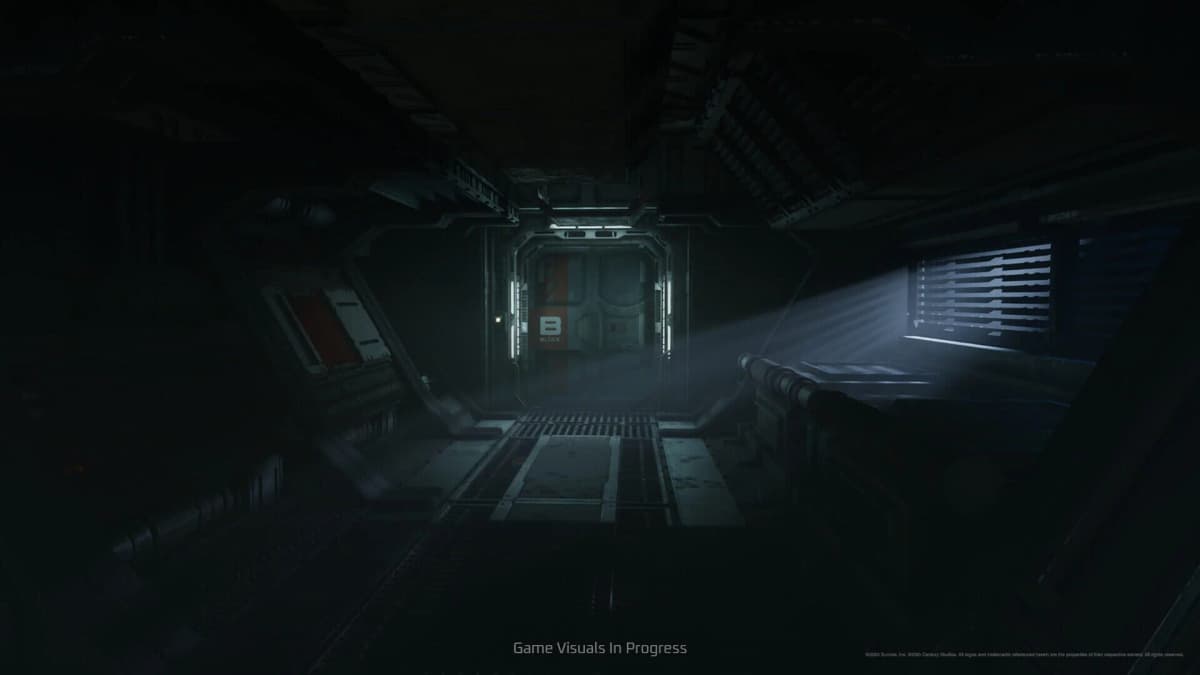
You want to play Alien: Rogue Incursion in VR, but the storefronts make it hard to tell which version is the headset one and which is a flatscreen spin-off — and the three VR platforms did not even launch on the same day. Here is exactly where it runs, what each headset gets, and how to survive once you are inside.
Table of Contents (8)
The short version
- VR is the game, not a mode. Alien: Rogue Incursion is a single-player VR action-horror game following Zula Hendricks and her synthetic companion Davis 01 at a facility on Purdan. There is nothing to “unlock.”
- Three VR platforms, two launch dates. PlayStation VR2 and SteamVR launched December 19, 2024. The Meta Quest 3 version slipped to February 13, 2025 — do not assume all three shipped together.
- Survive by controlling space, not by pushing. Retreat into a defensible room, close doors, funnel xenomorphs through one entry point, and bring ammo and stims forward before loud fights.
- Save in the lulls. Use the panic-room save terminals after a wave clears, before you open the next route.
Where it runs, and why the storefronts confuse people
Sort by platform label, not by franchise branding. If the listing says PlayStation VR2, Meta Quest 3, or SteamVR, that is the headset version — the original release. Anything sold as a flatscreen or later reworked edition is a separate way to play the same project, not a VR toggle hidden inside every SKU.
The part most people get wrong is the timeline. PS VR2 and the SteamVR (Windows) build went live on December 19, 2024. The Quest 3 version did not ship that day — it was delayed and arrived on February 13, 2025. If you read an old listing that lumps all three into one December date, it is wrong. So if a Quest player and a PSVR2 player swear they bought it on different days, they both did.
- PlayStation VR2 — launched December 19, 2024.
- SteamVR (PC, Windows) — launched December 19, 2024.
- Meta Quest 3 — launched February 13, 2025 (delayed from the original date).
- The campaign is single-player survival, not co-op. If a version is sold without a headset platform label, do not assume it includes VR support.
If you are still weighing which headset to buy it on, the deeper trade-offs live in our guide to choosing the best platform and settings and the dedicated Meta Quest 3 performance verdict.
What VR actually changes in play
VR is not a camera gimmick here — it changes how you read space and how badly poor positioning punishes you. The campaign is built around route-finding, keycard gating, and backtracking through maintenance areas. A locked door almost always means “find the maintenance route,” not “you missed a cutscene.” In the headset, that means you physically clear corners, track movement by sound off-angle, and decide whether you have the ammo to commit before you step into the next room.

That is why a hallway is never just a hallway. Navigation and combat are the same survival loop: the room you walk into is also the room you may have to defend or flee. The headset perspective removes the safety net of a third-person camera, so spatial discipline matters more than reflexes.
Positioning beats aggression
The reliable survival pattern is not “push faster” or “master one gun” — it is control the room. Retreat into a defensible space, close doors behind you, and make xenomorphs funnel through a narrow entry point instead of dueling them in the open. Open-floor panic fights are exactly where your spatial awareness collapses, and in VR that collapse is far more disorienting than on a flat screen.
Let enemies hit you from multiple angles and the damage is only half the problem; you also lose your target, fumble the weapon swap under pressure, and miss your exit. Hold a tighter room and the same chaos becomes a manageable line of one-at-a-time kills. The same logic drives resource management: stage your shotgun ammo, health stims, and grenades in the spot you plan to stand before you trigger a known fight. You want recovery tools where your feet are, not behind a door you cannot reach once the wave starts.
How it performs, and the comfort settings that matter
Performance in this game is less about a frame-rate headline and more about whether the headset stays readable when the screen gets busy. The pressure points are predictable: dense enemy waves, fast turns in cramped rooms, and repeated travel through dark maintenance corridors. Those are the moments to dial in comfort rather than tough it out.

Before a long session, set up turning and movement the way your stomach prefers — snap turning keeps dark, twisty corridors from inducing motion sickness, and a comfort vignette tightens the field of view during fast turns so the periphery does not swim. Calibrate your standing or seated height so weapon reach and reload motions land where they should; bad height calibration is a quiet reason ammo “misses” the gun on reload. If a session already feels visually messy or mentally overloaded, stop — do not push the next door just because the corridor is open. The friction is part of the design, and pacing yourself is playing well, not playing slow.
Save during the lulls. After a wave clears, use the panic-room terminal before you advance. It protects progress and breaks the game into short, clean combat chunks, which softens the penalty of a single bad scramble far more than it would in a run-and-gun shooter. For a deeper room-by-room breakdown when you get stuck, see the chapter walkthrough and stuck fixes.
A combat and exploration checklist
- Treat blocked routes as the route. A door or lift that will not cooperate is pointing you to a maintenance path, a keycard, or a backtrack loop — stop circling the same room.
- Pick your fallback room before the loud trigger. When a scripted fight feels close, choose the door you will retreat through and the angle you will hold.
- Stage supplies forward. Move shotgun ammo, stims, and grenades into your planned defensive spot first.
- Save after the lull, not after the next risk. The moment a wave ends, hit the panic-room terminal before opening anything new.
- Set comfort options before you need them. Snap turning, a turn vignette, and correct height calibration prevent the dizziness that loses fights in cramped rooms.
Common mistakes
- Assuming all three VR platforms launched together. Quest 3 came two months after PS VR2 and SteamVR.
- Hunting for a “VR unlock.” VR is the format of the original release, not an in-game item or story beat.
- Playing it like a co-op shooter. It is single-player survival built on tension and resource discipline.
- Brawling in the open. Defensive room control is safer than fighting in open space almost every time.
- Trusting storefront naming. A later non-VR edition does not mean every edition includes headset play — verify the platform label first.
Practical takeaway
Choose the platform first: PS VR2 or SteamVR from December 19, 2024, or Quest 3 from February 13, 2025. Once you are in, treat the headset as the core mechanic — control space, funnel enemies through one door, stage your ammo and stims forward, set your comfort options, and save in every lull. Survival here is positioning and patience, not aggression.
FinalBoss // Gear
Level up your setup
01Meta Quest 3on Amazon→02PSVR2 accessorieson Amazon→03Gaming chairson Amazon→
Affiliate links · As an Amazon Associate, FinalBoss earns from qualifying purchases.
Want to Level Up Your Gaming?
Get access to exclusive strategies, hidden tips, and pro-level insights that we don't share publicly.
Ultimate Guide Strategy Guide + Weekly Pro Tips