
Most players hit the same wall in Paralives: two Paras are clearly in love, but the Try for a baby option never shows up on the bed. The fix is almost never the pregnancy system itself — it is one missed relationship step or one selection mistake earlier in the chain. Here is the exact order that works.
Table of Contents (10)
The short version
- Build the couple to the Lovers stage — friendly and casual flirting are not enough.
- Make children a shared plan through romantic/future-focused couple interactions before you reach for the bed.
- Select both Paras together, then use Try for a baby on a bed both can reach — a single selected Para is the most common reason the option is missing.
- Confirm with a pregnancy test instead of waiting and guessing.
- Default pregnancy runs about 3 in-game days (3 trimesters), adjustable in Storyteller settings.
- Don’t want pregnancy? Adopt at a Health Center on the map.
- Build the nursery and toddler setup before the birth, not after.
One thing to settle up front: marriage is not a requirement for pregnancy. The relationship status is the real gate. Marriage is a pacing and story choice; the baby interaction only checks that your Paras are romantically established and on the same page about kids.
How family progression works in Paralives
Treat the family loop as a workflow, not a set of needs you react to one at a time. First you build a stable romance. Then you decide whether to formalize it with a proposal and marriage. Then you move into pregnancy or adoption. Finally you prepare for the baby and toddler stages, where house layout, money, and time management start to matter far more than romance does.
That last part is why rushing straight to a baby feels messy. Once a newborn arrives, routine tasks multiply fast, so it is much easier to handle proposal timing, furniture, and job planning before you add newborn care on top.
Step 1: Get both Paras to the Lovers stage
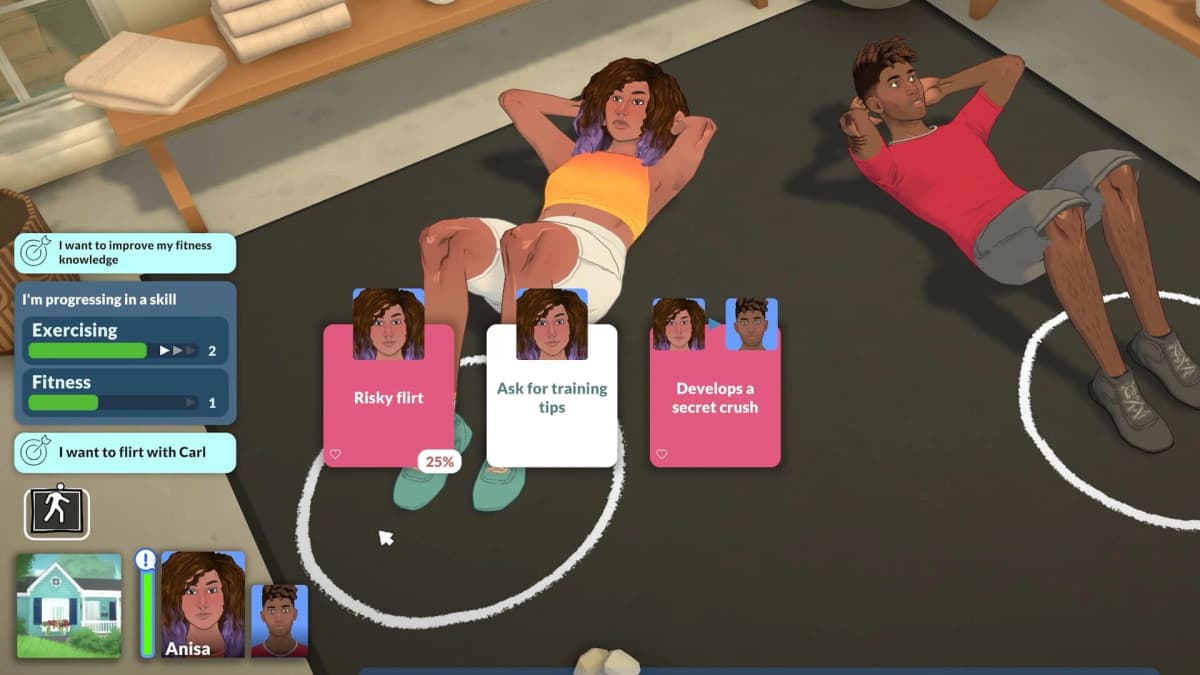
Your first job is the relationship, not furniture or money. The family interactions only appear once both Paras reach the Lovers stage. Friendly interactions alone won’t get you there, and casual flirting without a stable romance is exactly why proposal and baby options stay greyed out.
Stack positive romantic interactions instead of bouncing between unrelated social actions. Build attraction, keep the mood positive, and avoid pushing heavy relationship steps right after a bad social exchange. When you see couple-focused or flirty “together” options, use them — they move the relationship toward long-term commitment faster than grinding generic compliments.
This is also where you make sure both Paras actually want children. If the couple is romantic but the baby option still feels absent, the problem is usually not romance level — it is that the couple has not yet had the future-focused interaction that puts kids on the table. Sort that out here, before you walk over to the bed.
Step 2: Decide whether to marry before the baby
Marriage in Paralives is meaningful for your household story, but it is not the gate for getting pregnant, so decide on pacing. For the smoothest setup, marry before the baby: fewer scheduling conflicts, fewer care interruptions, less household chaos.
Once the couple is solid, use the proposal interaction and follow that relationship forward into marriage. Even though the game lets you have a baby first, that route feels backward to manage, because newborn care immediately competes with every other social event. Handling the proposal and wedding phase first keeps the household cleaner to run.
Playing a less traditional household? Skip marriage and go straight to trying for a baby. You are choosing a story order, not breaking progression.
Step 3: Use Try for a baby correctly
This is the step most players overcomplicate. Once the couple is established, select both Paras at the same time, then use the Try for a baby interaction on a bed. If only one Para is selected, the option will not appear — that single mistake accounts for most of the “where is the button?” confusion. You do not need to dig through unrelated menus when the relationship is already in the right state; the bed interaction is the trigger.
Two practical cautions. First, use a bed both Paras can actually reach — in life sims, pathing problems look like missing features when one side of the furniture is simply blocked. Second, if the interaction still doesn’t show, stop spamming romance: re-check that the couple is at Lovers and that you handled the kids conversation in Step 1.

After the attempt, use the pregnancy test interaction to confirm the result rather than waiting and guessing. Default pregnancy lasts about 3 in-game days — three trimesters of roughly one in-game day each — and you can shorten or lengthen it under Storyteller → Customize Storyteller → Pregnancy. If results feel inconsistent, check those settings before assuming the system is bugged. (If you’d rather skip the wait entirely, our Paralives console cheat guide covers the family-related commands.)
Don’t want pregnancy at all? Adoption is a town service handled at a Health Center — the hospital/pharmacy-style buildings marked with a medical plus icon on the map. Send a Young Adult or older Para to a Health Center, choose Adopt a Baby, and the Para returns home with a generated baby. In the current Early Access build, adoption brings home infants only.
Step 4: Prepare the house before the birth
This is the stage players leave too late. The moment pregnancy is confirmed, start building the child setup. At minimum you want a nursery space with a crib and baby-friendly items nearby. The point isn’t aesthetics — it’s cutting the household scramble after the birth, when needs start stacking quickly.
If money is tight, secure income first. A new family burns cash faster than a couple does — extra furniture, schedule changes, and one Para often spending more time at home all pressure your budget. If you still need a job lined up, our Paralives starting and jobs guide walks through finding work through the phone or a home computer.
- A crib for the baby stage
- Open floor space so routing doesn’t become a hidden problem
- Room to expand into toddler furniture later
- Stable income before the household starts missing work for care tasks
Think one stage ahead. A pretty nursery is fine, but one that forces long walks across the house or blocks interactions gets annoying fast.
Step 5: Plan for babies and toddlers, not just pregnancy
The family system doesn’t stop at birth. Babies are the transition point; toddlers are where your house needs to support real routines. Plan around the core toddler needs: a high chair, access to baths, a potty, toys, and eventually a toddler bed.
If you wait until the child ages up to buy all of that, you get the classic life-sim mess: a household that’s technically functional but constantly late, dirty, or interrupted. Keep a transition budget ready and place toddler essentials as soon as you know you’ll need them.
Care during work hours is handled for you to a point. Paralives has an automatic daycare system: if a Para below the child stage is on a lot with no caregiver — a teen or older Para — present, they’re sent to daycare automatically and a small daycare fee is added to your weekly bills. It’s a safety net, not a plan. A household with one clear caregiver schedule is easier to manage than one where every workday turns into a childcare emergency, and you avoid the recurring fee.
Common mistakes
- Only one Para selected: Try for a baby needs both Paras selected together. This is the single most common reason the option is missing.
- Treating marriage as the gate: the Lovers status is the gate, not the ring. Skipping marriage doesn’t block pregnancy.
- Skipping the kids conversation: high romance with no future-focused couple interaction can leave the baby option hidden — handle it in Step 1.
- An unreachable bed: blocked pathing looks like a missing feature. Make sure both Paras can actually access the bed.
- Building the nursery after the birth: place the crib and toddler essentials early so the household isn’t scrambling.
- Leaning on auto-daycare: it covers the gap but charges a weekly fee — a real caregiver schedule is cheaper and calmer.
Practical takeaway
Don’t think of “starting a family” as the pregnancy interaction — think of it as a sequence you control. Build the romance to Lovers, settle the kids conversation, marry first if it fits your story, select both Paras and use Try for a baby on a reachable bed, confirm with a pregnancy test, and have the nursery and toddler essentials in place before the child arrives — or adopt at a Health Center instead. Plan the home and the income before the baby, and the rest of the family arc runs itself.
FinalBoss // Gear
Level up your setup
01Top-rated gaming headsetson Amazon→02High-refresh gaming monitorson Amazon→03Gaming chairson Amazon→04Discounted game keyson Kinguin→
Affiliate links · As an Amazon Associate, FinalBoss earns from qualifying purchases.
Want to Level Up Your Gaming?
Get access to exclusive strategies, hidden tips, and pro-level insights that we don't share publicly.
Ultimate Guide Strategy Guide + Weekly Pro Tips