
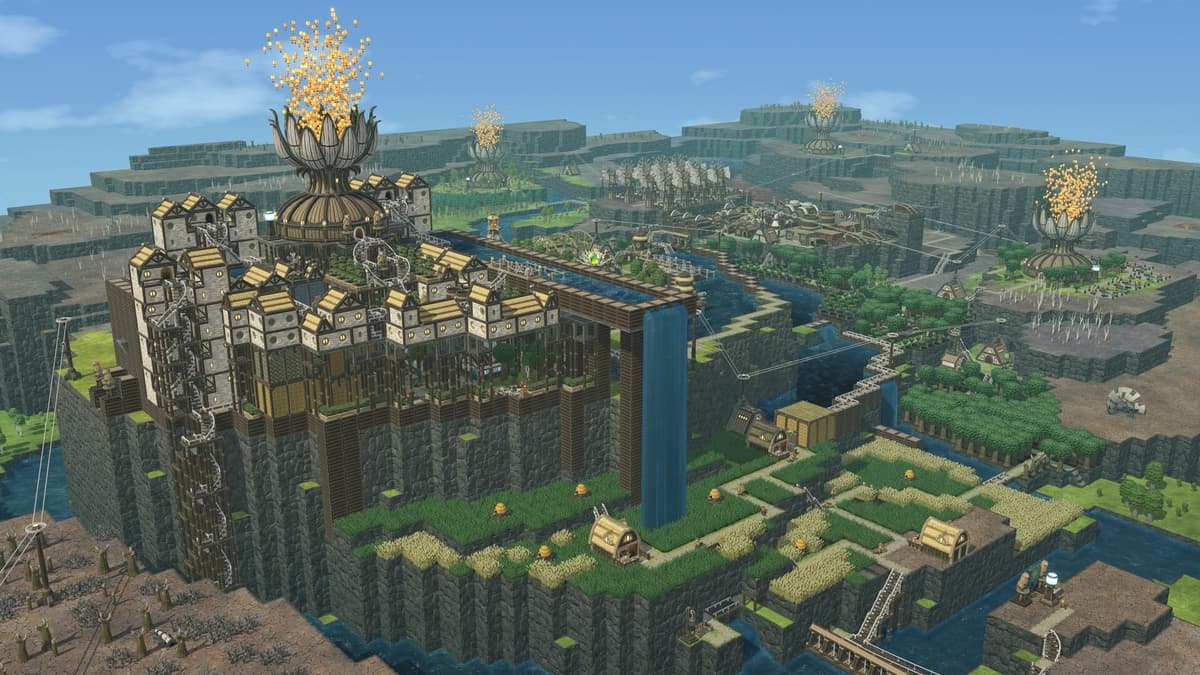
Districts in Timberborn are separate, range-based sub-networks, not just labels on your map. Each one is anchored to a District Center and only reaches as far as that center’s coverage. The moment the land you want sits outside that reach, more roads will not help — you need a second district. Here is how to add one without starving it.
Table of Contents (12)
The short version
- Place a District Crossing on the border between your old settlement and the new area. (This is the current name — Update 4 replaced the old “District Gate.”)
- Build a new District Center on the far side, positioned so its range covers the resources you are expanding for.
- Pre-build housing, water, food, and storage on the new side before anyone moves in.
- Migrate beavers deliberately through the District Center — workers never cross district lines on their own.
- Set import/export rules at the District Crossing so one district does not drain the other.
If you remember only one rule, make it this: stockpile first, migrate second. Most failed district setups come from building the crossing and center correctly, then sending beavers into an empty settlement with no food, no water, not enough storage, and not enough workers to recover.
What a district actually is
A district exists around a District Center and reaches outward until it hits the district boundary. That boundary is set by a District Crossing — the building you place to split one network from the next. (If you are reading an older wiki page that calls it a “District Gate,” that term is outdated; Update 4 renamed it.) The crossing defines where one district ends and the next begins, and it is also the point where beavers, bots, and goods move between them.
You hit the need for a second district when the color-coded reach from your current District Center stops covering land you want to use — a fertile farming basin, a metal ruin zone, a high plateau for industry, or a safe route past a canyon. Watch that range overlay before you commit: if the target sits outside it, dropping more roads there solves nothing. A new district is the correct tool.
Districts matter because they let you keep expanding without forcing one giant settlement to do everything. They are also the backbone of specialization. A farming district exports food. A forestry district feeds planks and logs to your central build hub. A mining or industry district stays close to the resource it depends on instead of wasting labor on long hauls inside one oversized network. For laying out that second settlement efficiently, see our house-layout guide.
Do not found a new district the moment you can
The biggest early mistake is expanding too soon. The game makes the crossing-and-center part look straightforward, but a fresh district is fragile. It needs workers, beds, water access, food, storage, and some way to keep basic production going. If even one of those pieces is missing, the district stalls immediately and starts pulling emergency supplies from your main colony at the worst possible time.
Before you formalize a new district, pre-build as much of the starter settlement as the map allows. The exact layout differs by faction and terrain, but this baseline is the safe starting point:
- Housing for the first wave of beavers
- Reliable water access, or stored water ready to import
- Food production, or enough food stockpiled to survive setup
- Storage for bulk goods so transfers do not bottleneck
- Roads connecting the new center to its work sites
- At least one production chain tied to the local reason for expanding
- Construction materials already delivered to the site
Keep a small buffer of unemployed adults in your safest district before you expand. If the new district needs emergency labor, you do not want to cripple the old one to save it. New colonies are especially exposed here, so square this away alongside your early water, food, and drought prep.
How to create a new district without starving it
1. Place the District Crossing first
Find the point where your current road network should stop being part of the old district, and place the District Crossing there. Players sometimes try to skip this by building the new center first, but the crossing is what cleanly separates the two networks — and it is the building that later controls every transfer between them.
2. Build the skeleton of the new settlement
Once the border is set, build the roads, storage, housing, and core survival buildings on the new side. Treat the district as if it already exists. The first few beavers who arrive need a place to sleep, something to drink, and a short list of jobs that stabilize the district — not a scatter of half-finished projects.
3. Place the District Center where its range solves a real problem
Do not drop the center wherever there is empty space. Put it where its reach covers the specific resources or build area your old district could not handle, and watch the range boundary as you place it. If the center still leaves your farms, pumps, or industry outside practical reach, you have built a second weak district instead of fixing the first one’s limits.
4. Fill supplies before sending population
This is the step that saves the most frustration. Move food, water, and building materials into the new district before migration begins. A brand-new district with empty storage spends its opening days waiting on transfers and hauling instead of producing. A prefilled district starts working immediately.
5. Migrate only the labor you can afford to lose
Beavers never cross district boundaries on their own. To move population, use the migration controls at the District Center and send beavers over deliberately. Start with enough adults to cover survival and the first production jobs — but not so many that your source district loses its hauling, water, farming, or construction capacity. If the original district starts missing critical jobs, you migrated one wave too many.
Resource logistics matter as much as the border
A district is not healthy just because it has a center and a few workers — it also needs controlled imports and exports. The District Crossing is where every transfer of beavers, bots, and goods between two districts is managed through its import/export settings. Leave those loose and the richer district strips the poorer one bare, or the new district over-requests essentials and creates shortages everywhere.
The safe approach: decide which goods are emergency essentials and which are surplus exports. Food, water, and building materials should keep minimum reserves on each side. Specialized outputs — planks, crops, industrial goods — can move more freely once the producing district has stabilized.
- Keep a local reserve of food and water in both districts before exporting.
- Do not let a starter district promise away its entire stock of logs or planks.
- If a district exists for one resource, still give it enough basics to survive a transfer slowdown.
- Recheck your crossing’s thresholds after drought prep, construction bursts, or population growth.
Common mistakes
- The new district has workers but nothing gets done. You migrated population before storage, roads, and essentials were ready. Fix the supply base first.
- Your old district suddenly slows down. You moved too many adults out at once, especially from hauling, water, or farming jobs.
- Resources are technically available but never arrive. Check the import/export rules at the District Crossing and confirm it is serving the right goods.
- The new center still feels out of range. It was placed for convenience instead of coverage. Range planning is the entire reason to split.
- Specialized districts keep stealing from each other. Your crossing thresholds are too loose, so every district treats shared goods as free inventory.
- You are following an old “District Gate” guide. The building is the District Crossing now. The mechanic is the same; only the name changed in Update 4.
Practical takeaway
Treat a district as a planned settlement, not an emergency outpost. Place the District Crossing on a clean border, build the new District Center where its range actually solves your problem, stock the new area before anyone arrives, then migrate a deliberate, survivable workforce through the District Center and lock down sensible import/export rules at the crossing. Done in that order, a district extends your colony cleanly. Skipped or rushed, it becomes a colony-wide tax. Start small, keep clear reserve thresholds, and build each district around one obvious purpose.
FinalBoss // Gear
Level up your setup
01Graphics cardson Amazon→02Gaming laptopson Amazon→03High-refresh gaming monitorson Amazon→04Discounted game keyson Kinguin→
Affiliate links · As an Amazon Associate, FinalBoss earns from qualifying purchases.
Want to Level Up Your Gaming?
Get access to exclusive strategies, hidden tips, and pro-level insights that we don't share publicly.
Ultimate Guide Strategy Guide + Weekly Pro Tips