
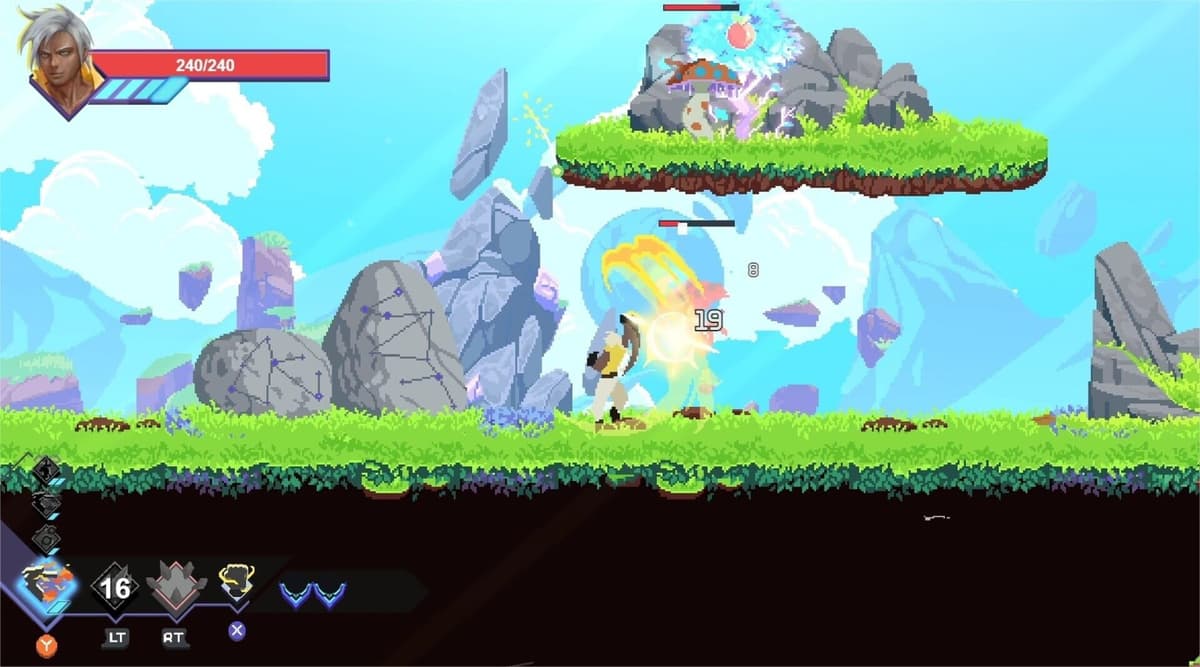
You and a friend want to clear the Garden together over the internet, and you keep hitting the same conflicting answers: some people say Astral Ascent has online co-op, others say it doesn’t. Both are half right. Here is the clean version, plus the exact setup that actually works.
Table of Contents (12)
The short version
- No native online co-op. Astral Ascent is two-player local co-op only. There is no in-game matchmaking, lobby, or online invite.
- You play online by streaming a local session. Use Steam Remote Play Together (if you own it on Steam) or Parsec. The host runs the game; the second player streams in.
- Only the host needs to own the game. That is the upside of Remote Play Together — your friend joins your copy, no second purchase required.
- Host quality decides everything. The host’s hardware and upload connection determine how the session feels for both of you, because the guest is reacting to a video stream.
What “online co-op” really means here
Astral Ascent’s Steam listing is explicit: it offers Local Co-op, not online multiplayer. There is no networked session where each player runs their own copy. So when someone tells you the game has no online co-op, they are technically correct — there is no built-in online mode.
The reason you can still play with a distant friend is that Steam Remote Play Together (and Parsec) take any local co-op game and stream the second controller in over the internet. It is a platform-level workaround, not an in-game feature. That single distinction explains every contradictory answer you have read, and it changes what you should expect: the host runs the entire game and encodes a video stream, while the guest sends inputs back. Host performance, upload bandwidth, and latency matter far more than they would in a game with real online netcode.
If you only want standalone online lobbies with separate processing for both players, Astral Ascent is not that. If you are fine with host-based streamed co-op, it works well — it is a fast, run-based roguelite, so a rough connection costs you a quick reset, not an hour-long mission. For the pure local-couch setup and how the in-game second player joins, see our full co-op breakdown.
Method 1: Steam Remote Play Together (recommended)
This is the cleanest path because Steam handles the streaming and controller routing for you, and only the host needs to own the game.
- Launch Astral Ascent on the host PC and reach the Garden hub.
- Open the Steam overlay (
Shift+Tab), find your friend in the friends list, and choose Remote Play Together to invite them. - Have the second player connect a controller before they accept — it registers as Player 2’s input.
- Once they join, enable the second player in-game and confirm both characters move before you start a run.
If you are setting this up from scratch, our Remote Play setup walkthrough covers the controller and invite steps in more detail.
Method 2: Parsec (fallback)
Use Parsec when Remote Play Together stutters or mishandles the controller handoff. Note that Parsec’s old Arcade hosting feature was removed from the app on April 17, 2023 — guides that tell you to “host through Arcade” are out of date.
- Install Parsec on both the host and the remote player’s machine, and sign in.
- Install and launch Astral Ascent on the host.
- On the host, open the Computers tab and share your computer (send the invite link to your friend) — this is the current hosting flow, not “Arcade.”
- Have your friend connect, plug in their controller, then test movement, attacks, and menu confirmation before a real run.
Get the connection right before you blame the game
Astral Ascent is a fast 2D action roguelite built on dodging, attack timing, and reading boss patterns. In a streamed session the remote player feels every millisecond of input delay, so dial the connection in first.
- Let the stronger machine host. The host runs the game and encodes the stream; if it struggles, both players feel it.
- Go wired. Ethernet on both ends removes the single biggest source of stutter and input inconsistency.
- Drop the stream resolution. 720p streams cleaner than 1080p over a marginal connection and keeps inputs responsive.
- Use hardware encode/decode. In Parsec, enable hardware encoding on the host and decoding on the guest to cut latency.
- Close background load. Pause downloads and shut down recording or other streaming apps on the host before a session.
Common problems and fixes
The second player joins but cannot control anything
This is an input-detection issue. Connect the guest’s controller before the session starts so Remote Play Together or Parsec registers it as a separate Player 2 input. Reconnecting before launch works better than hot-swapping a controller while the game sits in a menu.
The stream looks fine, but combat feels delayed
That is latency, not image quality. A session can look crisp and still play badly. Switch both players to wired Ethernet, let the better-connected machine host, and close background apps. If Remote Play Together stays inconsistent, test Parsec — one tool often handles a given setup better than the other.
It is stable in menus but falls apart in boss fights
Boss rooms push the most effects and movement, which stresses both the host’s hardware and the stream. Lower the host’s other system load first, drop the stream resolution to 720p, and stop any recording or background streaming. The fault is almost always the streaming setup, not the co-op itself.
You and your friend disagree about whether it has online
Settle it: Astral Ascent supports two-player local co-op and no native online mode. You play “online” by streaming that local session through Remote Play Together or Parsec. Frame it that way and the contradiction disappears.
Common mistakes
- Expecting in-game online invites. There are none — co-op starts locally, then gets streamed.
- Buying two copies for Remote Play Together. Only the host needs to own the game; the guest joins for free.
- Following old Parsec “Arcade” instructions. Arcade is gone since April 2023; host from the Computers tab.
- Letting the weaker PC host. The host carries the game and the stream, so put it on the stronger machine and connection.
- Playing over Wi-Fi and blaming the game. Go wired before you decide the co-op feels bad.
Practical takeaway
Astral Ascent has no native online co-op — it is two-player local, and you take it online by streaming the host’s session. Start with Steam Remote Play Together so only the host needs the game; fall back to Parsec (host from the Computers tab, not the retired Arcade) if controllers or latency act up. Wire both ends, drop the stream to 720p, and let the stronger machine host. Judge the feature as host-based streamed co-op and it holds up well. If you are picking who to play, our best co-op teams guide covers the strongest duos.
FinalBoss // Gear
Level up your setup
01Top-rated gaming headsetson Amazon→02High-refresh gaming monitorson Amazon→03Gaming chairson Amazon→04Discounted game keyson Kinguin→Affiliate links · As an Amazon Associate, FinalBoss earns from qualifying purchases.
Want to Level Up Your Gaming?
Get access to exclusive strategies, hidden tips, and pro-level insights that we don't share publicly.
Ultimate Guide Strategy Guide + Weekly Pro Tips