
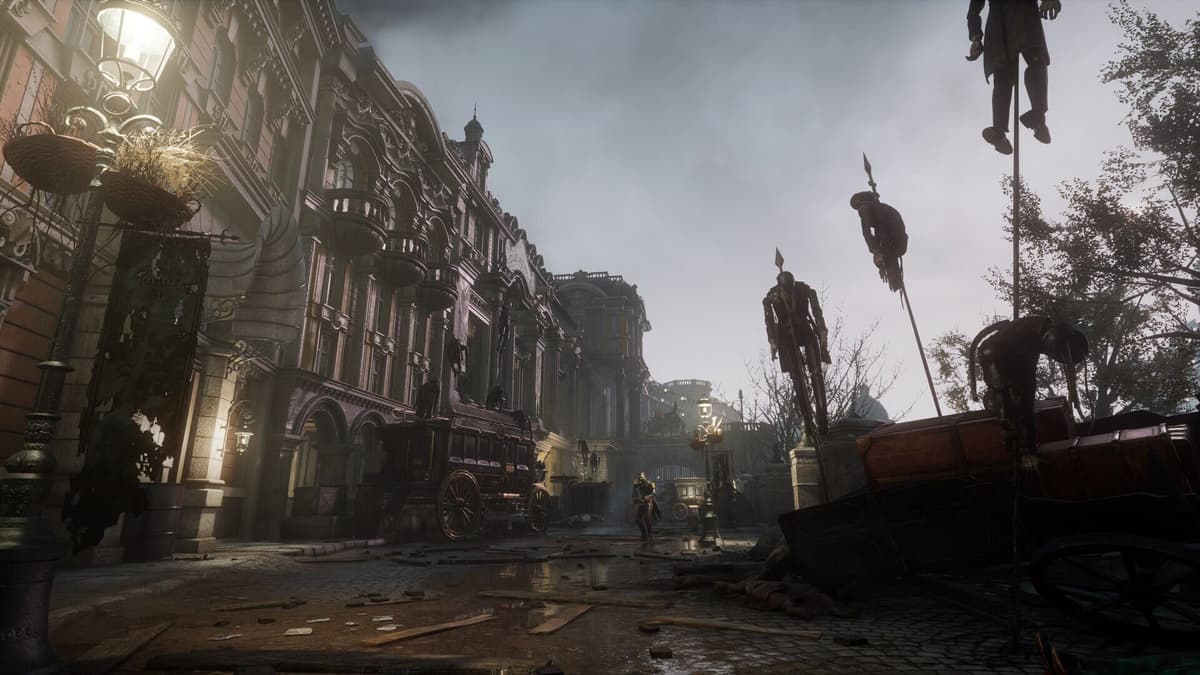
You want to know which way to play Lies of P so you are not handicapping your reactions in a game that punishes them. On PS5 the answer is simple: pick Performance mode. It targets 60 FPS, which keeps dodge, guard, and perfect-parry timing tight, and that matters more than shadows in a Soulslike built around delayed swings. The only real alternative is the 40 FPS Quality HFR mode, and it only works if your display runs at 120Hz.
Table of Contents (11)
The short version
- Best default: PS5 Performance mode — 2160p output at 60 FPS with reduced internal resolution.
- Only worthwhile alternative: PS5 Quality HFR — 2160p at 40 FPS, but it requires a 120Hz screen to feel right.
- Skip on most setups: PS5 Quality mode — 2160p at 30 FPS. Best image, worst response.
- Cleanest version overall: PS5. It is the only console with three distinct modes.
- Old-gen: playable but compromised. PS4 and Xbox One run 1080p / 40 FPS; PS4 Pro reaches 1140p / 50 FPS.
- Series S: 1440p (upscaled from 972p native) at 60 FPS — smooth, but softer than PS5.
- PC: no fixed target; tune for a locked frame rate first, then push visuals.
Best PS5 mode to use
PS5 gives you three display modes, and your pick comes down to what you value most during a fight:
- Quality: 2160p at 30 FPS. The best-looking option — stronger highlights, shadows, and overall fidelity — and the least responsive.
- Quality HFR: 2160p at 40 FPS, available only on a 120Hz display. The middle ground: you keep most of the image quality and gain a clear smoothness bump over 30 FPS.
- Performance: 2160p output at 60 FPS with reduced resolution. The best-feeling option for actual play.
For a Soulslike this is not a close call. Lies of P asks for tight guard timing, fast reads on delayed attacks, and quick repositioning after enemy strings. A stable 60 FPS does more to help you learn a boss than prettier shadows ever will. If you are grinding through the tougher fights, Performance mode is the setup that gives you the cleanest reaction window — pair it with the patterns in our boss guide on phases and best setups.
The 40 FPS mode is the one people misjudge. It is not a free upgrade on any screen. It only pays off on a 120Hz-compatible display, where 40 FPS divides cleanly into the panel’s refresh rate. There it is visibly smoother than 30 FPS and lower in latency while keeping the quality-oriented presentation. On a standard 60Hz screen it is effectively unavailable, and your real choice collapses to 30 FPS Quality versus 60 FPS Performance.
How the other versions compare
PS5
The most flexible console version, because it gives you three real display modes instead of one blunt compromise. If you want the best balance of responsiveness and consistency, PS5 in Performance mode is the easiest recommendation in the whole lineup.
Xbox Series X
Series X is a current-gen machine and plays the game in that class — well clear of the old-gen hardware. If you are choosing between modern consoles, PS5 is the version to optimize for, since its three-mode 30/40/60 structure is the one you can plan a whole run around.
Xbox Series S
Series S runs at 1440p, upscaled from a 972p native resolution, targeting 60 FPS. It stays smooth and responsive, which is what matters most for combat, but its image quality sits clearly below PS5. If you already own one, it is a fine way to play. If you are choosing a version before buying, PS5 is the stronger visual and mode-selection package.
PS4, PS4 Pro, and Xbox One
This is where the step down is obvious. PS4 and Xbox One run at 1080p targeting 40 FPS with visibly reduced detail. PS4 Pro improves to 1140p targeting 50 FPS, but it still does not reach the flexibility or presentation of the current-gen versions. If you only care about access, these are workable. If you care about combat feel and a cleaner image, they are behind.
PC
PC has no single fixed target because your hardware decides the result. That makes it the platform to tune by hand: prioritize frame stability first, then spend the leftover headroom on image quality. In a game built around precision defense, an inconsistent frame rate is a worse problem than dropping one or two visual settings.
Settings that matter most
- Choose Performance mode first while you are still learning bosses, perfect guards, and weapon timing.
- Use 40 FPS Quality HFR only with a 120Hz display. Without that, it is not a target worth building your setup around.
- Use 30 FPS Quality only if image quality is your top priority and you accept the slower input feel.
- Do not judge the game by old-console footage if you are on PS5 — the mode options and clarity are meaningfully better on current-gen hardware.
- On PC, chase a locked frame rate, not “max” settings. A near-locked target feels better than wide frame-rate swings.
If you are buying a display specifically for PS5 action games, Lies of P is one of the cases where 120Hz support earns its keep, because of the 40 FPS mode. It still does not replace 60 FPS Performance as the all-purpose pick. The 40 FPS option is for players who notice visual cuts immediately and want a middle ground — not for players who want the cleanest combat feel available.
Common mistakes
- Picking Quality mode for the visuals. 30 FPS makes delayed-swing parries and dodge timing measurably harder. Looks are not worth the missed guards.
- Turning on 40 FPS HFR without a 120Hz screen. On a 60Hz panel the mode does nothing useful — you are really choosing between 30 and 60.
- Assuming Series S matches PS5. It holds 60 FPS, but the image is upscaled from 972p, so it is noticeably softer.
- Maxing PC settings before locking the frame rate. Frame-time stability beats raw fidelity in a game this reaction-dependent.
Practical takeaway
Play Lies of P on PS5 in Performance mode. Switch to 40 FPS Quality HFR only if you have a 120Hz display and you specifically want a sharper image without dropping to 30. Series S is serviceable but softer at 1440p/60; PS4 Pro manages 1140p/50; base PS4 and Xbox One sit at 1080p/40; and PC rewards a locked frame rate over maxed settings. Once your setup feels right, plan the rest of your run with our full chapter-by-chapter walkthrough and the trophy and platinum roadmap.
FinalBoss // Gear
Level up your setup
01Best-selling PS5 gameson Amazon→02DualSense controllerson Amazon→03PS5 SSD upgrades (M.2 NVMe)on Amazon→04Discounted game keyson Kinguin→
Affiliate links · As an Amazon Associate, FinalBoss earns from qualifying purchases.
Want to Level Up Your Gaming?
Get access to exclusive strategies, hidden tips, and pro-level insights that we don't share publicly.
Ultimate Guide Strategy Guide + Weekly Pro Tips