

Table of Contents (11)
Pick the 30fps mode on Switch 2
For Onimusha: Way of the Sword on Nintendo Switch 2, Image Quality Priority is the setting to use. It caps the game at 30fps, holds a steadier frame-time rhythm during combat and camera movement, and preserves a cleaner reconstructed image. Frame Rate Priority can climb above 30fps, but its motion is inconsistent and the accompanying resolution cuts are easier to spot than the extra fluidity is to enjoy.
That choice matters more here than it would in a slow exploration game. Capcom has built this Onimusha revival around Miyamoto Musashi’s swordplay: deflections, evasions, lock-on changes, and close-range encounters where a predictable response matters. A stable 30fps presentation has a 33.3ms frame time, meaning each frame remains on screen for 33.3 milliseconds before the next one replaces it. PS5, Xbox Series X|S, and a suitably powerful PC can target 60fps performance modes at 16.7ms per frame, which makes camera control and combat response appreciably tighter. Switch 2’s variable option does not bridge that gap.
The blunt version is even simpler: there is no dedicated 60fps mode on Switch 2. This port is built as a 30fps-first release, and it plays most convincingly when you lean into that design instead of fighting it. If you buy the Switch 2 version for portability, convenience, and a surprisingly respectable image, the default mode delivers those things. If you buy it hoping the machine can muscle its way into a console-grade high-frame-rate experience, the unlocked option will not reliably give you that.
| Platform and mode | Output target | Frame-rate target | What it means in play |
|---|---|---|---|
| Switch 2 docked, Image Quality Priority | 1920 × 1080 upscaled; dynamic internal resolution can fall to about 720p or lower | Locked 30fps | The cleanest and most consistent Switch 2 presentation. |
| Switch 2 handheld, Image Quality Priority | 1600 × 900 upscaled; dynamic internal resolution can fall below the output target | Locked 30fps | Softer than docked, though artifacts are less obvious on the smaller display. |
| Switch 2, Frame Rate Priority | Dynamic resolution with more aggressive drops in demanding scenes | Variable; Capcom lists 30-40fps, while analysis has captured swings reaching around 60fps | Smoother in bursts, but uneven pacing and image instability undermine it. |
| PS5 / Xbox Series X|S, quality mode | Up to 4K output with reconstruction | Locked 30fps | Higher image quality, steadier reconstruction, and more visual detail. |
| PS5 / Xbox Series X|S, performance mode | Typically 1440p-1800p reconstructed toward 4K | 60fps target | The best console choice for responsive combat and clear motion. |
| PC | Up to 4K output, hardware-dependent | 60fps and above, hardware-dependent | The most configurable version, provided the GPU and CPU can sustain the settings. |
Why the 30fps cap works better than Switch 2’s unlocked option
The Switch 2 version uses dynamic rendering and a DLSS-based reconstruction pipeline to produce a 1080p image in TV mode and a 900p image in handheld mode. Those output numbers sound modest beside reconstructed 4K on PS5 and Series X, but they are sensible limits for a portable machine running a modern RE Engine game with detailed faces, real-time cinematics, cloth simulation, hair, dense effects, and elaborate character materials.
That last point matters because Onimusha: Way of the Sword is not a stripped-down action game. It is full of the kind of visual work that makes reconstruction tech sweat: layered fabric, metallic reflections, smoke, sparks, fast pans through busy environments, and dramatic close-ups during cutscenes. Switch 2 handles that load more gracefully when the frame-rate target stays fixed. Give the hardware one stable performance goal and the image has enough room to hold together. Ask it to chase extra frames on top of those effects and the compromise becomes obvious fast.
The capped mode is the technically stronger choice: stable 30fps delivery, better frame pacing, and higher average image quality. The game can still show reconstruction softness, flickering around foliage and fine edges, or a little temporal shimmer during rapid movement. Those are ordinary compromises for an upscaled 1080p target. They are much less distracting than a frame rate that changes its cadence every time an effects-heavy fight loads the screen.
Frame Rate Priority has a messier identity. Capcom’s specifications describe a 30-40fps variable range, while technical analysis has recorded readings from roughly 30fps into the 60fps range. The practical answer is straightforward: it is an uncapped, fluctuating mode rather than a dependable high-frame-rate setting. It can look more fluid while wandering quieter spaces, then lose that advantage when enemy counts, particles, volumetric lighting, and camera movement pile up together.
That distinction is important because an uncapped mode is not the same thing as a true performance preset. A genuine 60fps-target mode is built around a stable goal, usually with a consistent set of visual tradeoffs to support it. Frame Rate Priority on Switch 2 feels more like permission for the engine to spend whatever headroom it finds in the moment. Sometimes that means motion looks a touch smoother. Sometimes it means the image suddenly softens, only for the frame rate to wobble anyway. Numbers can go up without the game becoming more comfortable to play.
Without VRR, or variable refresh rate, on Switch 2 to conceal the fluctuations, every swing lands directly in the presentation. The result is a familiar console problem: a counter may show more than 30fps, but the game can feel less composed than a properly paced 30fps lock. For a deflection-heavy action game, consistent timing is worth more than occasional 40fps-plus peaks.
This is also why the 30fps cap feels better than the raw number suggests. Good frame pacing means the time between frames stays even. Bad frame pacing means the game alternates between shorter and longer frame deliveries, which creates a subtle stutter even when the average frame rate looks respectable on paper. In a menu screenshot, that difference is invisible. In a duel, where you are reading enemy tells and reacting on instinct, it is the whole story.
The unlocked mode is a trade, not a free upgrade
If you want the honest sales pitch for Frame Rate Priority, here it is: it can make lighter scenes feel more alive. Camera turns can look less heavy. Traversal can have a bit more snap. Some players will prefer that immediately, especially if 30fps always feels sticky to them no matter how stable it is. But the trade is not hidden. Resolution drops become easier to notice, fine image detail becomes less secure, and the game’s motion profile becomes less predictable during the exact moments when the combat is asking for confidence.
That is why Image Quality Priority is not merely the prettier option. It is the more coherent one. The whole port makes more sense when the machine is aiming at one disciplined target instead of lunging for extra frames and paying for them with image stability every few seconds.
Docked mode is the better Switch 2 experience
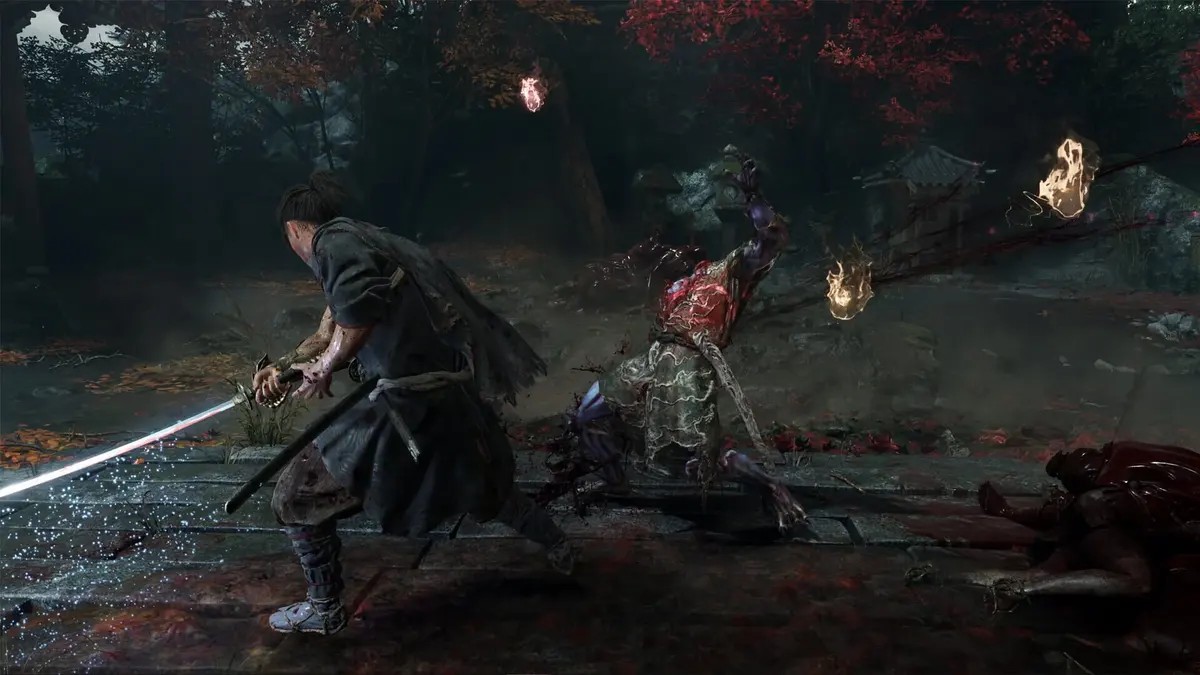
TV mode outputs at up to 1920 × 1080, reconstructed from a dynamic internal resolution that can fall to 720p or slightly below in heavier scenes. On a large 4K television, that gap becomes visible: thin geometry can stair-step, busy particle effects lose definition, and fine environmental detail can flicker as the reconstruction system works with less data.
Even so, docked play is where the Switch 2 version presents itself best. The bigger output target gives the DLSS-based pipeline more room to land a convincing final image, and the game’s best assets hold up well. Character models, clothing, hair, and real-time cutscenes still sell the production values. Capcom has clearly made careful choices about what to preserve. Texture detail is not lavish, and some interior lighting can look flatter than on stronger hardware, but the presentation stays attractive more often than not.
The surprise here is not that Switch 2 loses to PS5 or PC on raw image quality. Of course it does. The surprise is that the cutbacks are chosen with some restraint. The game keeps the elements players are most likely to notice in moment-to-moment play: faces, animation readability, material definition, and scene composition. What gets pared back is the kind of background fidelity and razor-edge clarity that larger machines can brute-force more comfortably.
Handheld mode outputs at 1600 × 900. Its lower output target and more constrained graphics budget lead to a softer picture, especially in distant scenery and small interface text. Yet the seven-to-eight-inch viewing distance also helps hide the worst reconstruction artifacts. The portable version remains perfectly serviceable at the capped 30fps setting; it simply lacks the clarity of docked play and sits well below the PS5, Series X, and PC image targets.
There is also a psychological difference between the two play styles. On a television, you are more likely to scrutinize image quality because the game is occupying a large, unforgiving canvas. In handheld play, you are more likely to judge the version by responsiveness, readability, and convenience. By that standard, Switch 2 portable mode does its job. It gives you a stable way to play a visually ambitious action game on a small screen without the whole thing collapsing into noise.
Switch 2 does gain hardware-specific conveniences. Joy-Con 2 motion controls can be used for katana strikes in TV or tabletop play, while gyro aiming supports the bow. Touch functionality and HD Rumble are also present. These features add some welcome flexibility, but they do not change the core recommendation: use the 30fps cap first, then experiment with the unlocked mode only if a variable frame rate bothers you less than 30fps motion.
Portable features are nice; portable compromises are still there
The motion-control support is the kind of extra that makes the Switch 2 version feel considered rather than merely squeezed onto the hardware. Bow aiming with gyro is a natural fit, and quick katana gestures have obvious novelty value. Still, none of those additions solve the actual performance question. They are bonuses layered on top of a port whose strongest quality is stability, not speed. Enjoy them, but do not mistake them for a reason to leave the frame-rate cap off.
PS5, Xbox Series X|S, and PC are better fits for combat-first players
On PS5 and Xbox Series X|S, Performance mode is the default recommendation for players who care about combat feel. It targets 60fps with a lower reconstructed resolution, generally in the 1440p-to-1800p range before scaling toward a 4K output. The visual compromise is real: fine alpha effects, distant detail, and sub-pixel geometry can look softer than they do in quality mode. But the 60fps target gives Musashi’s movement, defensive timing, and fast camera turns the response they need.
That response benefit is not abstract. In a game built around parries, deflections, and reading attack animations, faster and steadier refresh changes the feel of everything from camera correction to basic traversal. You recover from mistakes faster because the game is showing you more motion information per second. The lock-on system feels less syrupy. Enemy wind-ups are easier to parse at speed. If your favorite thing about an action game is the point where inputs disappear and instinct takes over, the higher-frame-rate versions are simply better aligned with that goal.
Quality mode on those consoles caps the game at 30fps while leaning harder into image reconstruction, texture quality, shadows, and visual effects. It suits players using a large 4K display who prioritize a denser image and can comfortably play action games at 30fps. Expect heavier perceived motion blur and more obvious judder during camera pans than in Performance mode.
The good news is that the console versions give you a genuine preference split instead of a false one. On PS5 and Xbox Series X|S, the choice between quality and performance feels like two valid ways to play. One emphasizes sharpness and effects. The other emphasizes responsiveness. On Switch 2, the choice is less balanced. One mode feels finished and disciplined; the other feels experimental.
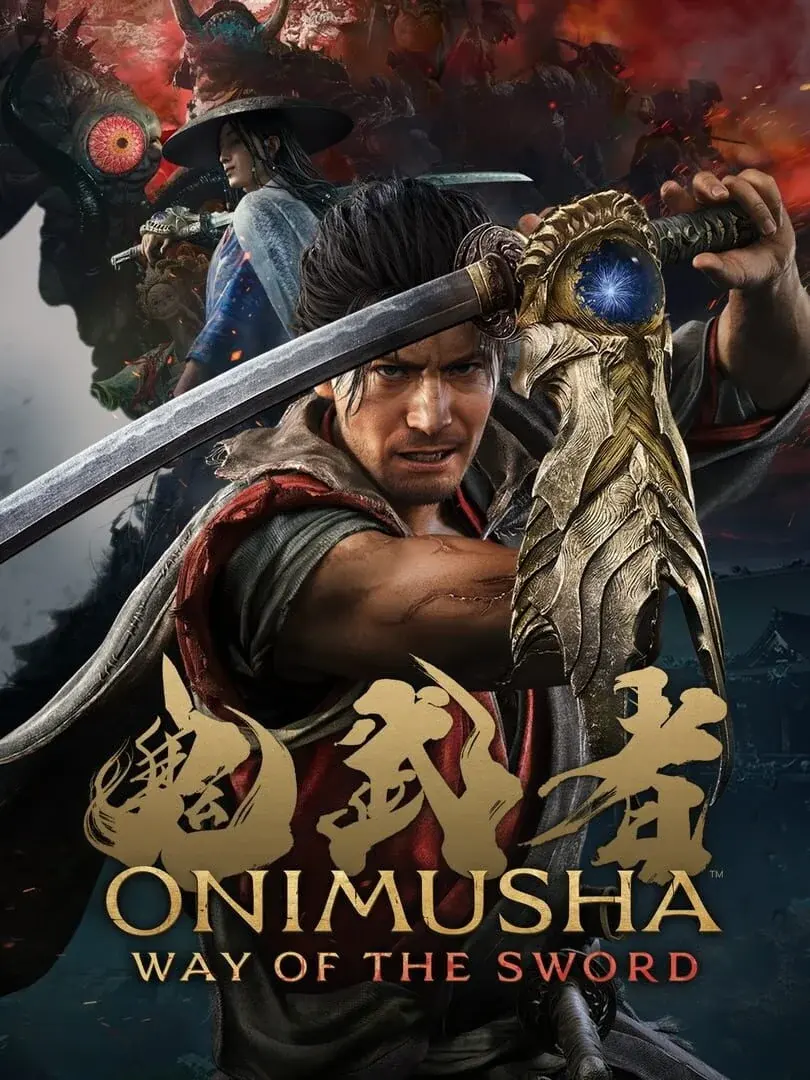
PC is the only version that can realistically combine high resolution with sustained high frame rates, assuming the hardware has the headroom. The useful settings are familiar: set a sensible frame-rate cap, adjust resolution scale, and tune shadows, ambient occlusion, texture quality, anti-aliasing, and post-processing until frame times stay flat. A locked 60fps is preferable to an erratic 80fps if the system cannot maintain the latter in effects-heavy encounters.
That last sentence is worth underscoring because it connects back to Switch 2. Stability wins in this game. Whether you are on portable hardware or a high-end PC, Onimusha: Way of the Sword rewards even delivery more than flashy peaks. The difference is that PC has a realistic path to both clarity and speed if the hardware is strong enough, while Switch 2 has to choose its battles carefully.
Where Switch 2 still earns respect
None of this turns the Switch 2 version into a consolation prize. It still looks like a serious, modern Capcom production, and it carries more of the visual identity than some compromised portable conversions manage. If your priority is having Onimusha in a portable format with a stable baseline and good hardware features, this is an easy version to like. It is simply not the version to pick if your first question is, “Which platform makes the swordplay feel fastest?”
What to watch for in each mode
- Switch 2 at locked 30fps: Watch camera pans and lock-on switches. They should move with a consistent cadence, even when the image softens during heavy scenes.
- Switch 2 unlocked: Look for uneven motion during large fights, sudden softness in the interface or distant scenery, and more shimmer around thin edges. These are the cost of chasing frames without a fixed target.
- Switch 2 docked: Large 4K TVs expose the internal-resolution drops most clearly. The output may remain 1080p while the actual rendered detail falls well beneath it.
- Switch 2 handheld: Distant detail and small text look softer, but the smaller panel masks aliasing better than a television does.
- PS5 and Series X|S Performance mode: Focus on motion clarity and input response. Small dips can occur in visually intense sequences, but this remains the strongest console option for action-first play.
- PS5 and Series X|S Quality mode: Expect the sharper image, then decide whether 30fps camera movement feels acceptable. The mode is visually richer but less immediate in combat.
There are also a few details worth paying attention to beyond the obvious frame-rate readout. In Switch 2’s capped mode, look at how the game behaves when you rotate the camera across foliage, fences, or other thin geometry. Reconstruction artifacts can show up there first. In the unlocked mode, do the same test in a quiet corridor and then again in a louder combat scene. If the image and motion profile change dramatically, you are seeing the real cost of the setting.
For docked players, one practical tip helps: sit a little farther back from a large 4K television than you normally would for a native 4K game. That extra distance softens the visibility of internal-resolution drops and temporal shimmer. Handheld players get that advantage for free. The smaller screen masks flaws better, which is one reason the portable mode holds up more comfortably than the raw pixel numbers suggest.
Another thing to monitor is how much your own tolerance matters. Some players hate the feel of 30fps no matter how well paced it is. Others will accept 30fps instantly if the image is cleaner and the frame-time cadence is stable. Onimusha: Way of the Sword on Switch 2 lands squarely in that divide. The machine gives you two answers, but one of them is clearly more technically coherent.
Who should choose each version
| Priority | Best version or mode | Reason |
|---|---|---|
| Fastest combat response | PC at a locked 60fps or higher; PS5/Series X|S Performance mode | Higher, steadier frame rates improve camera fluency and defensive timing. |
| Best console image quality | PS5 or Xbox Series X Quality mode | Higher output target, stronger effects, and clearer reconstruction than Switch 2. |
| Portable play with stable performance | Switch 2, Image Quality Priority | The 900p handheld target and locked 30fps deliver the most composed portable version. |
| Best Switch 2 television setup | Switch 2 docked, Image Quality Priority | 1080p output and stable pacing beat the variable mode’s temporary frame-rate gains. |
| Experimenting with higher motion smoothness | Switch 2, Frame Rate Priority | Useful only for players willing to accept fluctuating frame pacing and more aggressive image cuts. |
If you want the shortest buying advice possible, it goes like this. Choose PC or PS5/Xbox Series X|S Performance mode if your priority is combat response. Choose PS5 or Xbox Series X Quality mode if you want the cleanest big-screen console image and do not mind 30fps. Choose Switch 2 if portability is the deciding factor and you are comfortable treating 30fps as the intended experience.
That last clause is the key. Switch 2 is not trying to win the raw-spec fight here. It is trying to deliver a credible handheld-friendly version of an RE Engine action game without throwing away the look and mood that make the revival feel substantial. On that front, it succeeds. The port holds up pretty well visually, keeps the important character work intact, and gives players a stable baseline mode that does not feel like a compromise in the worst sense of the word.
It simply asks for the right expectation. Treat Image Quality Priority as the default, not the fallback. Treat Frame Rate Priority as an experiment, not an upgrade. Once you make that mental shift, the Switch 2 version becomes easy to recommend to the right audience.
And for everyone else, the hierarchy remains straightforward: PC first if you have the hardware, PS5 or Xbox Series X|S Performance mode if you want the best console feel, and Switch 2 if you want portability without the version feeling disposable. Capcom did not turn Switch 2 into the lead platform for Onimusha: Way of the Sword. It did make it a respectable one.
Updated 15 September 2026: storage requirements and per-platform settings merged from our earlier Switch 2 settings guide. For the cross-platform comparison see Switch 2 vs PS5, Xbox and PC performance; for the full hub see all bosses in story order and every guide.
Switch 2 Features and Storage Requirements
The Switch 2 eShop download is 34.2GB, a large footprint for the system and enough to make storage planning relevant. A microSD Express card is the sensible purchase for anyone keeping several modern Switch 2 games installed. Nintendo Switch Online cloud saves also make the docked-to-handheld routine painless, with no need to manually juggle save data between sessions.
Capcom also uses the Switch 2 hardware beyond basic portability. Joy-Con 2 motion controls support physical slicing and chopping actions, while the gyroscope can be used for bow aiming. These are optional controls rather than a reason to abandon buttons, but gyro aiming is a worthwhile fit for ranged shots when playing handheld or with detached controllers.
The Best Settings by Platform
- Switch 2 on a TV: Use TV Mode with the 30fps cap enabled. It is the clearest and most stable Switch 2 configuration.
- Switch 2 handheld: Use the 30fps cap. The lower 900p target is easier to forgive on the smaller display than fluctuating frame times.
- Switch 2 with a VRR display: The unlocked setting is worth trying, but treat it as a responsiveness experiment rather than a performance upgrade.
- PS5 or Xbox Series X: Use Prioritize Performance for the 60fps cap. The quality modes make sense only for players who value the 4K image above control response.
- Steam Deck: Prioritize manageable settings and accept the lower 1280 × 800 pixel budget. It is the least visually ambitious route of the three handheld-friendly options.
FinalBoss // Gear
Level up your setup
01Best-selling Switch 2 gameson Amazon→02Switch 2 accessorieson Amazon→038BitDo controllerson Amazon→04Discounted game keyson Kinguin→
Affiliate links · As an Amazon Associate, FinalBoss earns from qualifying purchases.
Want to Level Up Your Gaming?
Get access to exclusive strategies, hidden tips, and pro-level insights that we don't share publicly.
Ultimate Tech Strategy Guide + Weekly Pro Tips