
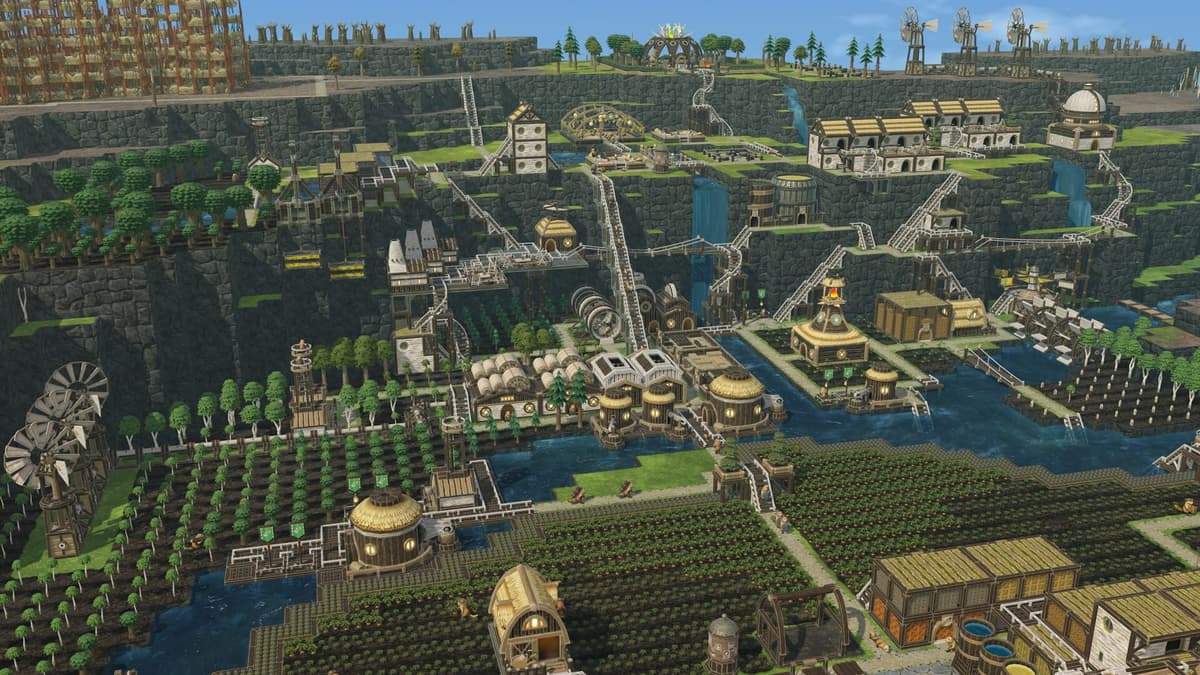
Timberborn left Early Access on March 12, 2026, and that single date changes how you should read every older guide, patch note, and save warning. The 1.0 build arrived after seven major updates, so the game you are playing now is not the same one most beginner tutorials were written for. Learning how its two update streams work is part of playing it well.
Table of Contents (8)
The short version
- 1.0 launched March 12, 2026, after seven major updates in Early Access.
- There are two streams: stable and experimental. Stable is for long colonies, mod compatibility, and predictable saves. Experimental shows preview changes and fixes before they reach the main game.
- 1.0’s headline addition is automation plus new map objects like Geothermal Fields and Unstable Cores, new maps, a visual overhaul, and better modding tools.
- Start a fresh save for 1.0. A colony built on Early Access assumptions is the wrong way to learn the current game.
- Opt into experimental on Steam: right-click Timberborn in your Library, then Properties, then Betas.
Why Timberborn updates matter more than in most builders
Many city builders ship one or two large expansions and otherwise stay mechanically familiar. Timberborn ran a long, structured update cadence instead — seven major updates before 1.0 — so old advice is often half-right rather than fully current. A guide written for an earlier update may still teach the correct first ten minutes yet miss systems that now define your midgame and late game.
That gap is widest after 1.0. The release did not just add cosmetics. It changed what a mature colony can do, how much automation you can layer into production, and how the map itself shapes your planning. Updates in Timberborn shift the role of labor, logistics, map interaction, and colony scaling — not just bug counts.
What version 1.0 actually changed
The biggest takeaway from 1.0 is automation. The release built out automation tools so you can wire up production chains instead of solving every bottleneck by throwing more beavers at it. If you remember earlier Timberborn as a survival puzzle around wood, water, and drought timing, 1.0 pushes the game toward systems management.
- Automation tools for larger, hands-off production planning
- New interactive map objects, including Geothermal Fields and Unstable Cores
- Aquifers as a map feature (the Aquifer Drill is built to tap them)
- New maps and a visual overhaul
- An improved modding pipeline and HTTP API tools
- Quality-of-life and tutorial improvements
The point is what that list means for play, not memorizing it. Automation lets late colonies run with far less manual babysitting. New map objects mean the terrain can offer opportunities and hazards beyond the old drought loop. The visual overhaul and new tutorial make the game easier to read — but they also mean screenshots and menu instructions from pre-1.0 guides may no longer match what you see on screen.
One practical note shipped with 1.0: start a fresh save for the best experience. If you are returning after a long break, that is the clearest signal 1.0 was not a patch you could ignore. Forcing an old Early Access settlement through a major systems shift is the slow way to learn the current game; starting again is the fast one. If you are picking a side to relearn on, the Folktails vs Iron Teeth faction comparison is the right place to start.
Where updates arrive and how to spot the safe branch
For most players, Timberborn updates arrive through Steam as part of the normal game update flow. The wrinkle is the experimental branch: if you follow announcements and assume every patch note applies to your build, you will often be wrong. Many notes describe changes that are still on experimental.
To switch branches on Steam, right-click Timberborn in your Library, open Properties, then Betas, and pick the branch from the dropdown. If you have never touched this, you are on stable and that is what you want for long colonies. Opting into experimental volunteers you for upcoming adjustments early, with the usual trade-off: quicker access to fixes and preview features, but more risk that saves, mods, or balance shift again before the update settles.
That trade-off is concrete. Post-1.0 experimental builds have shipped granular work like reduced water sloshing and a fix for a reserve-storage exploit, which then graduated to the main branch. The pattern to notice: support after 1.0 still includes small balance and bug fixes, not only headline features — and you see them first only if you are on experimental.
How to track versions without getting trapped by outdated guides
Two reference points keep you current. The Timberborn community wiki update history gives you the full chronology from Early Access through 1.0 — major updates, balance changes, and patch notes in order. The official Steam announcements feed tells you whether a given change is fully live or still in experimental testing. Use the first for sequence, the second for branch context.
- Use the wiki history when you need chronology
- Use Steam announcements when you need branch context
- Check your actual game version before following a guide tied to a specific update
- Assume screenshots and menu layouts from pre-1.0 guides may not match the current UI
If you are already eyeing what comes next, the Update 8 prep guide covers what is verified now versus what is still speculation.
What older advice still works after the updates
The early-game backbone survived every update. The opening priorities are unchanged: secure water access, gather berries, set up lumberjacks, and start research through inventors before you overbuild. If your instinct is to stabilize food, wood, and water before any ambitious engineering, that instinct is still correct.
Water management is still the main failure point, and that is mechanical, not opinion. A Timberborn colony feels stable right up until a drought or bad seasonal planning exposes that your pumps, storage, or reserves were never enough. Updates expanded the game without removing the rule that water security comes first. New automation or terrain objects do not change the fact that a thirsty colony collapses faster than a poorly optimized one.
Midgame logistics also stayed familiar. District expansion and district crossings still matter once a starter settlement cannot do everything efficiently from one center. Interface habits and tutorials have changed across versions, but the underlying mechanics are stable: route paths well, plan storage and transport, and set explicit import and export flows once colonies become isolated. The new systems layer on top of this rather than replacing it. For the modern version of that workflow, see how to build and manage districts.
The simplest rule for old advice: trust it most for opening survival priorities and basic layout, trust it less for UI specifics, and verify anything about automation, map objects, or branch-only features against current patch information.
How updates affect saves, mods, and stability
Day to day, the real impact of updates is save behavior, mod compatibility, and planning confidence. The 1.0 rollout emphasized fresh saves and better modding support, with ongoing refinement through experimental testing. That tells you exactly where to be careful.
- For a long-running colony, stay on stable unless you specifically want to test new features early.
- Before a major patch, assume mods may need time to catch up even with the improved pipeline.
- If you branch-hop between stable and experimental, back up saves first so you do not create your own compatibility problem.
- When a colony misbehaves after an update, check whether it is a mod mismatch, a branch mismatch, or an actual bug before assuming the worst.
Practical takeaway
Build on stable, watch experimental, and treat the March 12, 2026 release of 1.0 as the line where late-game expectations changed. The opening loop is still water, food, wood, and research. What is new is everything after that: automation is now a much larger part of the game’s identity, map interaction has expanded with objects like Geothermal Fields and Unstable Cores, and the developers keep refining through branch testing instead of freezing the game at launch.
If you are coming back from older Early Access builds, start a fresh colony, relearn early water discipline, then lean into the automation and map-object tools once you are stable. When you follow a guide, check whether it was written for stable or experimental — that one habit saves more confusion than any single build order.
FinalBoss // Gear
Level up your setup
01Graphics cardson Amazon→02Gaming laptopson Amazon→03High-refresh gaming monitorson Amazon→04Discounted game keyson Kinguin→
Affiliate links · As an Amazon Associate, FinalBoss earns from qualifying purchases.
Want to Level Up Your Gaming?
Get access to exclusive strategies, hidden tips, and pro-level insights that we don't share publicly.
Ultimate Guide Strategy Guide + Weekly Pro Tips