
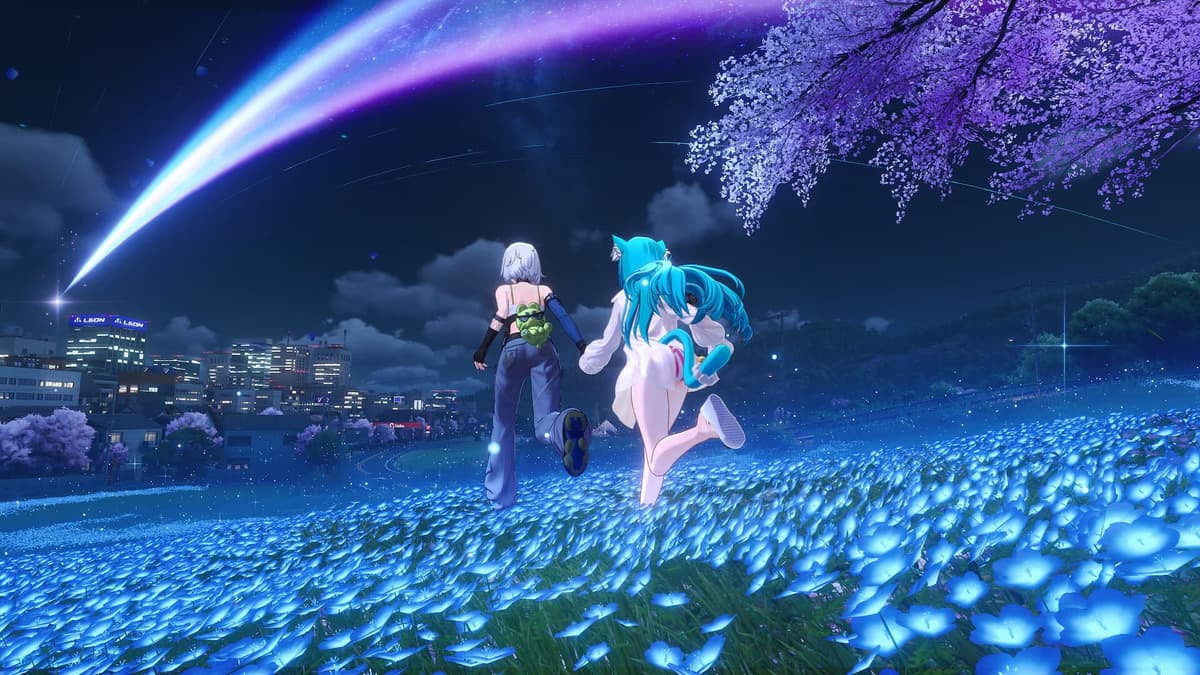
When co-op first clicks in Neverness to Everness, the solution is much less dramatic than most players expect. The game does not hand you an obvious party button at the start, and that is where the confusion begins: one friend has their UID ready, the other is still wondering why the multiplayer menu is missing. The short answer is that co-op is locked behind early account progress, then handled through the in-game phone with direct UID invites only. There is no public matchmaking, you need to be on the same server or region, and the host’s world decides what everyone can do.
If you only need the fastest setup, do this: finish the tutorial and early progression until multiplayer appears, open the phone and check the second page for Multiplayer or Friends, enter your friend’s UID in the search bar, make sure both of you are on the same regional server, then send the invite. Once connected, you can explore, run activities, and hunt anomalies together with up to four players total-but story progression remains solo.
Table of Contents (12)
The fastest way to unlock multiplayer
The first barrier is simply access. Current launch-period guides agree that multiplayer is not available immediately, but they do not all list the exact same unlock point. Some place it around account level 7, others around Hunter level 8, and some reports suggest it is reliably available by level 10 if it still has not appeared earlier. In practical terms, that means you should finish the tutorial, push the early anomaly and onboarding content, and keep leveling until the menu opens up.
If you are moving through the opening at a normal pace, this usually happens fairly early rather than deep into the game-roughly around the first half hour for many players. The important part is not the exact number, because the reports vary. The important part is knowing that if the menu is missing, the game is usually telling you that you are still too early, not that your account is bugged.
- Finish the tutorial and your first guided anomaly content.
- Keep an eye on your account or Hunter progression.
- Open the in-game phone and check the second page of apps.
- Look for
MultiplayerorFriends.
This is the first major time-saver: do not spend ten minutes digging through every settings page if the multiplayer tab is not there yet. In most cases, you just need a little more progression.
How to invite a friend by UID
Once multiplayer is unlocked, Neverness to Everness uses a very direct system. There is no open lobby browser and no public matchmaking queue. You add or invite people through their UID, which is the unique player ID shown on the profile screen and commonly visible at the bottom-left of the main or profile interface.
The cleanest route is usually Phone → Page 2 → Multiplayer/Friends. From there, use the search field to enter your friend’s UID exactly as it appears. If both players are online and on the same server region, the invite should go through immediately.
- Ask your friend to send their UID exactly, with no missing digits.
- Open
Phone → MultiplayerorPhone → Friends. - Paste or type the UID into the search bar.
- Confirm the player name before inviting.
- Send the invitation and wait for them to accept.
The same-region requirement matters more than players expect. If one of you is on EU and the other is on NA, the UID search may fail or the invite will not behave the way you expect. Check this first before assuming the game is broken. It is one of the most common co-op mistakes because the game focuses so much on the UID step that players forget the server check behind it.
If you want repeat sessions with less friction, add each other properly and then adjust your friend-access permissions. On PC, that usually starts from the profile or Esper screen, often reached through Esc. If your account is set to require manual approval every time, switching to a friends-only access setting can make future joins much smoother.
What you can actually do in co-op
This is where expectations matter. In its current form, co-op in Neverness to Everness is best treated as a shared activity layer, not a fully shared campaign. You can bring up to four players together and spend time on the parts of the game that suit roaming, farming, and side activities.
- Explore the city and other available open areas together.
- Join street races and lighter social activities.
- Take on combat or arcade-style challenges.
- Play mini-games.
- Visit houses or hangout spaces.
- Hunt anomalies and run dungeon-like content.
That makes co-op genuinely useful for relaxed sessions, material farming, and showing a friend around content you have already opened. It is also handy if one player has better route knowledge or stronger combat readiness for anomaly runs. Just remember that rewards are not treated like one shared loot pile; each player is responsible for their own extraction and gains.
The host matters a lot. The host’s world determines which areas, activities, and unlocks are available to the group. If you invite a friend into your session, they are seeing your world state. If you join theirs, you are working inside their unlock level instead. That sounds obvious, but it changes how you should organize sessions. If your friend has more content open, join them when you want broader access. If you want help with your own exploration, make sure you are the host.
What co-op does not do
The biggest limitation is also the one that catches people hardest: story progression remains solo. Current guides are consistent on this point. Main narrative missions are not something you advance as a group, even if you are already standing in a multiplayer session together. If you enter co-op expecting the campaign to sync the way it does in some other online action RPGs, you are going to lose time.
There is also no true progression merge. Adding someone by UID does not combine quest states, map completion, or world unlocks. Each player keeps their own progress tied to their own account and world state. That is why joining a friend can be great for farming or sightseeing, but it does not replace doing your own important unlocks.
In plain terms: co-op is for playing together, not for collapsing two accounts into one shared save. Once you understand that, the system makes much more sense and becomes far less frustrating.
The best way to use co-op without wasting time
The most efficient rhythm is to handle your solo story and mandatory unlocks alone, then switch to multiplayer for anything that benefits from company or repeat runs. That includes anomaly hunts, combat practice, casual exploration, racing, and lighter side content. Hotta Studio’s current setup supports that style much better than a full evening of campaign co-op.
A smart habit is to swap hosts deliberately instead of staying in one world all night. Start in the lower-progress player’s world if the goal is helping them clean up unlocked content. Then move into the more advanced player’s world if the goal is farming better zones or showing off later activities. Because the host determines the available experience, changing hosts is the closest thing the game has to “sharing” progression efficiently.
If your group plays regularly, sort out three things before you begin: server region, UID exchange, and privacy settings. Those three checks remove most of the friction. Once that is done, co-op sessions tend to feel smooth enough for what the mode is designed to be.
Common multiplayer problems and the fix for each one
- The multiplayer tab is missing: you are probably still before the unlock threshold. Finish more of the tutorial path and early progression, then check the phone again.
- Your friend’s UID does not appear: confirm the UID carefully and make sure both accounts are on the same server or region.
- The invite was sent but nothing happens: check whether the other player is online and whether their privacy settings require approval before joining.
- You joined, but story objectives will not progress: this is intended behavior. Main story progression is solo-only.
- You expected shared unlocks after playing together: co-op does not merge progress. Each player keeps their own world state and rewards.
- The session feels limited: that is usually because the host has not unlocked the content you want. Swap hosts and try again.
At the time of writing, launch-period coverage is consistent on two important points: there is still no public matchmaking, and co-op has not been expanded into full story sharing. So if older habits from other games are making this system feel strange, the answer is not that you missed a hidden setting. The system is simply narrower by design.
Final practical takeaway
If you want to share Neverness to Everness with a friend, treat co-op as a companion mode for exploration, anomaly runs, races, and casual sessions-not as a full campaign sync tool. Unlock multiplayer first, use UID invites through the phone, double-check that both of you are on the same region, and choose the host based on whose world you actually want to use. Once you approach it on those terms, the system is easy to manage and much less disappointing.
FinalBoss // Gear
Level up your setup
01Top-rated gaming headsetson Amazon→02High-refresh gaming monitorson Amazon→03Gaming chairson Amazon→04Discounted game keyson Kinguin→Affiliate links · As an Amazon Associate, FinalBoss earns from qualifying purchases.
Want to Level Up Your Gaming?
Get access to exclusive strategies, hidden tips, and pro-level insights that we don't share publicly.
Ultimate Guide Strategy Guide + Weekly Pro Tips