
Riven Tide adds a small but surprisingly deep loot loop to ARC Raiders: when the Beachcombing condition is active, the Dockmaster’s Detector turns part of the shoreline into a buried-loot route. If you want the short version, here it is: equip the Detector in a quick-use slot before deployment, go to the dried-up northern Seabed beach on Riven Tide, hold the use input to scan, then follow the faster beeps and stronger light until you get a steady green signal and a Dig prompt. That is the whole mechanic, but most wasted runs happen because players miss one of the requirements around map condition, area, stamina, or durability.
The important context is that the Detector is not a general-purpose treasure finder for the whole map. Beachcombing is a specific event-style modifier on Riven Tide, and the buried targets are tied to a specific stretch of sandy terrain. That makes this less like free roaming with a metal detector and more like a short scavenging route that rewards players who know exactly when to bring the tool and where to spend its durability.
Table of Contents (13)
What the Dockmaster’s Detector is actually for
The Dockmaster’s Detector is a quick-use gadget designed for Beachcombing on Riven Tide. Its main job is locating buried stashes in the Seabed area when the Beachcombing condition is active. Most reliable reports place those dig spots in the dried-up northern Seabed beach. A few player reports suggest nearby edge areas may occasionally work, but if you want a dependable farming route, treat north Seabed as the correct zone and ignore the rest of the map.
That distinction matters because a lot of failed attempts come from using the Detector in normal conditions or in the wrong terrain. If there is no Beachcombing modifier, you generally should not expect buried treasure spawns. If you are inland, on hard surfaces, or away from the sandy northern shore, the detector may feel useless simply because there is nothing valid for it to find.
How to get the Dockmaster’s Detector
You can obtain the Dockmaster’s Detector in several different ways, which is helpful because it means you do not have to rely on one exact unlock path.
- Loot it from containers such as red lockers, metal boxes, and drawers.
- Earn it through the
Shoring Up Defensesquest. - Get one from the first step of the
Avian Alarmproject by placing a bird trap. - Find it as a random drop during Beachcombing activity on Riven Tide.
If you are still trying to get your first copy, the project route is usually the most dependable because pure loot RNG can drag out longer than expected. Once you already have one, keeping an eye on containers during regular runs is worthwhile so you can stash backups. The Detector is repairable, but having an extra one is still convenient if you plan to chain Beachcombing runs.

How to equip and activate it correctly
Before you drop into a match, assign the Dockmaster’s Detector to a quick-use gadget slot in your loadout, the same general category where you would handle consumable or utility items like grenades or bandages. If you forget this step, bringing the item in your inventory is not enough. It needs to be accessible as an active field gadget.
On PC, the common input is to equip the gadget and hold Q to scan. On console, use the on-screen prompt for the assigned quick-use/interact input rather than assuming a fixed button, since bindings can vary. The key detail is that you must hold the activation, not tap it once. While held, the detector scans nearby ground and gives you audio and visual feedback.
Two resources drain while you do this: your stamina and the Detector’s durability. That means you should think of scanning as a series of short checks, not a long continuous sweep. If you hold it too long while standing still, you burn resources for almost no gain and make yourself an easy target on an open section of shoreline.
How to use the Detector without wasting durability
The best way to use the Dockmaster’s Detector to beachcomb in ARC Raiders is to triangulate in short bursts. The game gives you enough feedback to narrow the target down quickly if you move with intent.

- Reach the dried-up northern Seabed beach while Beachcombing is active.
- Equip the Detector and do a brief 360-degree scan.
- Listen for beeps and watch the light response. The signal becomes more urgent as you face and move toward the target.
- Walk a short distance in the strongest-signal direction, then scan again.
- Repeat until the signal turns very strong and stable.
- When you are directly over the buried point, you should get a steady green indicator and a
Digprompt. - Interact to dig, then immediately reset your position and begin the next short scan rather than standing exposed.
The color description can vary slightly depending on player reporting, with some describing the intermediate signal as yellow and others as orange. The practical takeaway is the same either way: weak and inconsistent means you are still searching, faster and brighter means you are closing in, and steady green means you are on top of the dig spot.
If your scan produces nothing, do not keep holding the detector in place hoping the signal will appear. Relocate farther along the beach and try another sweep. No feedback usually means you are either between spawn points, on the wrong patch of terrain, or too far from the next buried object for the scan to matter.
What you can dig up, and why some spots feel bad
A successful dig can uncover a buried loot cache, trinkets, or a hazard such as a mine. That last outcome is the reason you should not mash through every prompt without paying attention. If a mine comes up, deal with it carefully and disarm it if the game gives you the option instead of assuming every buried result is pure profit.
You may also find empty holes or previously looted spots. That is normal on contested runs and does not necessarily mean your Detector bugged out. It usually means another player already got there first. On Beachcombing routes, especially after the condition becomes well known, you should expect some of the shoreline to be partially cleared by the time you arrive.
The Detector itself can also break from use. When that happens, you will see the equivalent of a broken-item warning and lose access until you repair it. The good news is that repair cost is relatively low at three batteries, which makes the gadget practical to maintain as long as you are not wasting charge on long empty scans.
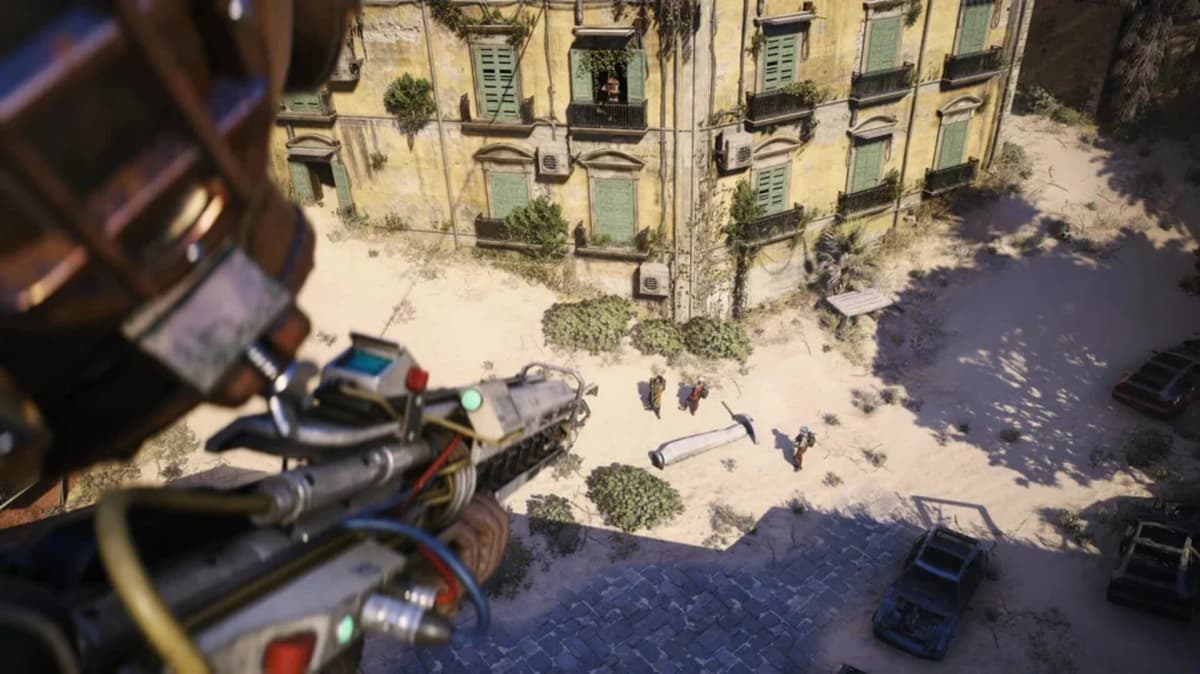
Efficient route tips on Riven Tide
Riven Tide is a more vertical and exposed map than many players expect from the word “beach,” and that matters for Beachcombing. The best runs are disciplined, not casual. Get in, work the northern Seabed sand in a clean line, and leave before the shoreline turns into a firefight.
- Scan in pulses, not continuously. A short sweep, a few steps, then another sweep is much more efficient.
- Stay on sandy ground where buried spawns are expected. Hard surfaces and inland detours mostly waste durability.
- Do not linger over one weak signal. If the beeps do not improve after a short move, reset and scan from a new angle.
- Carry batteries or repair after the run so you are not stuck with a broken detector next time Beachcombing appears.
- If you find another Detector through loot, keep it. Backups are useful because Beachcombing is one of those loops that encourages repeat runs.
There is also a tactical benefit to moving this way: short scans make you less predictable to other players. Standing still with the detector raised tells everyone nearby exactly what you are doing and roughly where the loot might be.
Troubleshooting common Dockmaster’s Detector problems
If the Detector seems inconsistent, the fix is usually straightforward.
- No signal anywhere: Check that Beachcombing is active on Riven Tide and that you are in the northern Seabed beach area.
- You cannot use the item: Make sure it was assigned to a quick-use slot before the match.
- The Detector stopped working mid-run: It is probably broken from durability loss and needs repairing with three batteries.
- You reached a spot and got nothing useful: Another player may have looted it already, or you uncovered a hazard rather than a cache.
- Beaches outside Seabed are not giving results: That is expected in most cases. The mechanic is tied tightly to the proper Beachcombing zone.
One last note: the Detector does have some secondary utility for detecting or helping with mines outside pure treasure hunting, including some hostile mine interactions, so it is not a completely dead item outside a Beachcombing run. Just do not confuse that limited extra use with the main buried-loot loop, which remains tied to the event and location.
Practical takeaway
If you want consistent value from the Dockmaster’s Detector in ARC Raiders, treat it like a purpose-built event tool. Get one through loot, Shoring Up Defenses, or the opening step of Avian Alarm; equip it in a quick slot before deployment; only bring it when Beachcombing is active on Riven Tide; and work the dried-up northern Seabed beach in short, deliberate scans. The players who struggle with it usually are not misreading the beeps. They are using the right tool at the wrong time, in the wrong place, or for too long. Once those three mistakes are out of the way, beachcombing becomes one of the cleaner loot routines on the map.
FinalBoss // Gear
Level up your setup
01Top-rated gaming headsetson Amazon→02High-refresh gaming monitorson Amazon→03Gaming chairson Amazon→04Discounted game keyson Kinguin→Affiliate links · As an Amazon Associate, FinalBoss earns from qualifying purchases.
Want to Level Up Your Gaming?
Get access to exclusive strategies, hidden tips, and pro-level insights that we don't share publicly.
Ultimate Guide Strategy Guide + Weekly Pro Tips